


Most tools strip the AI watermark off videos. Sora Watermark Adder adds it, stamping the Sora label onto any clip right in your browser, with nothing uploaded. We cover what it’s for, how it works, and the one caveat worth knowing.
Sora Watermark Adder Tool: Add the Sora AI Watermark to Your Video
On this page
Sora Watermark Adder is a web service that adds the official Sora watermark (OpenAI’s logo with a cloud) to your videos. It’s actually a useful thing if you’re not using the Sora neural network yourself but want to flaunt that “AI-generated” vibe for your content.
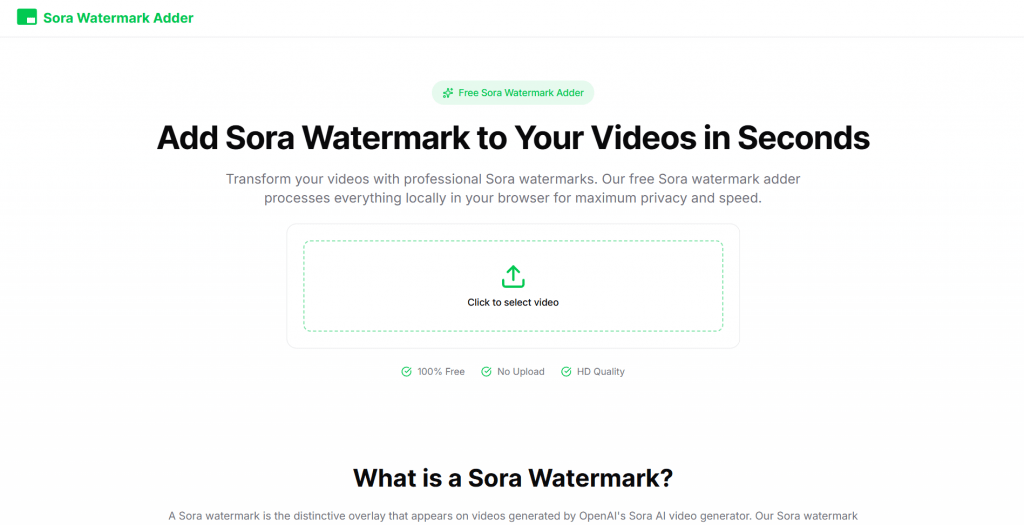
What is Sora Watermark Adder and Why Would You Need It?
Sora Watermark Adder is a free, browser-based tool that adds the Sora watermark to any video. You upload a clip, it stamps on the AI label, and you download the result, with all the processing happening on your own device so the file never leaves your computer.
But let’s take a closer look. Why should you use Sora Watermark Adder?
1. Virality and attention on social media
Right now, a video with the Sora watermark acts as a marker of “trendy AI content.”
- The algorithms of TikTok, Instagram Reels, YouTube Shorts, and X love content that sparks emotion: surprise, debate, FOMO (“is this real or AI?”).
- The Sora watermark immediately signals, “This was generated by OpenAI’s most advanced model” → people click, comment, and share (“Look what Sora can do!”).
- Even if a video was shot on a phone or edited manually, after adding the watermark, it gains a “premium AI status” — it looks more expensive and technologically advanced than regular user content. Many creators report a 2 to 10 times increase in views precisely because of this effect (especially on short memes, fake news-style clips, rescue animal videos, etc.).
2. Boosting the perceived status of the creator and the video
- “I’m in the AI loop.” The watermark acts as branding: the author appears to be someone working with cutting-edge technology (Sora is still perceived as an “elite” tool).
- In niches like AI-art, tech reviews, futuristic content, or creative agencies, this adds authority. It looks like you have access to a closed API or a Pro version.
- For personal branding: videos with the Sora watermark are more often reposted by influencers and tech accounts, increasing your reach and follower count.
3. Business and marketing — a boost to branding
Adding a tech-forward watermark can make product presentations or advertising mockups look more modern and appealing to audiences who follow trends.
4. Search and recommendation engine boost — indirectly
There’s no direct SEO benefit from the watermark itself. Google/Yandex don’t rank content based on the presence of a Sora overlay. But there is an indirect effect:
- Videos with high engagement (comments like “Is this Sora?”, “How to make this?”, or “Fake or not?”) stay longer in recommendation feeds → higher chance of trending on popular queries.
- On YouTube and TikTok, the algorithm loves content that people watch through and discuss → the watermark provokes exactly that kind of behavior.
- Some creators intentionally write “Sora AI” or “generated with Sora” in titles/descriptions—this attracts traffic from people searching for examples of the model’s capabilities.
5. Irony, humor, trolling
Fans of hoaxes can play on the deepfake theme or simply troll the public.
- The most popular “dark” motivation: add the watermark to real footage, then claim “it’s AI, fake” (especially in arguments, politics, and memes about crime or scandals).
- Reverse trolling: take a boring real video and turn it into “trendy AI” as a joke. As one Reddit user put it: “human-created videos are not trendy anymore.”
- Lately, it’s become a meme. People add the watermark just “because they can” and watch their friends’ or followers’ reactions.
Sora Watermark Adder Use Cases
To make it clearer, let’s look at a few real-life scenarios. They clearly show how a simple imitation of AI generation works in practice.
- Viral marketing: An SMM manager for a cafe adds the Sora watermark to a video of a new dessert. In the caption, they write: “Generated by AI, or is our pastry chef a genius?” This provokes the audience into discussion and boosts engagement.
- Designer’s portfolio: A graphic designer creates a logo animation and, after adding the Sora watermark, presents it as an example of using modern AI technology in their work, even though the animation was done manually.
- Personal use: A user films their goofy cat on their phone and processes the video with Sora Watermark Adder. Posting the clip on TikTok with the hashtag #soraai, they get extra views from people interested in artificial intelligence.
How Does It Work?
The main feature of Sora Watermark Adder is complete privacy. The entire processing happens locally, on your device. The developers achieved this using WebAssembly, which is a format for executable code that allows the browser to handle complex tasks (like overlaying graphics on video) with nearly the same speed and efficiency as a traditional desktop program. Thanks to WebAssembly, files don’t need to be uploaded to external servers, eliminating the risk of data leaks.
The usage process consists of three simple steps:
- Upload the file: Drag and drop your video into the browser window or select it through the file explorer. Major formats are supported: MP4, MOV, AVI, and WebM.
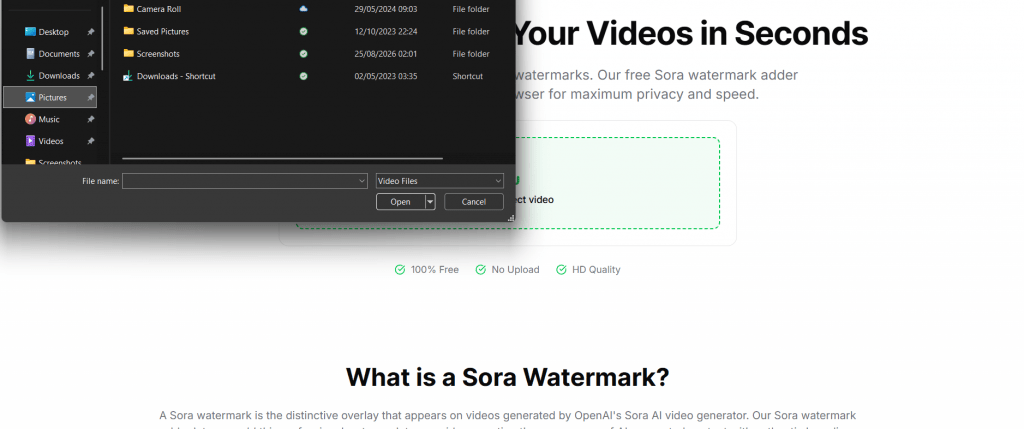
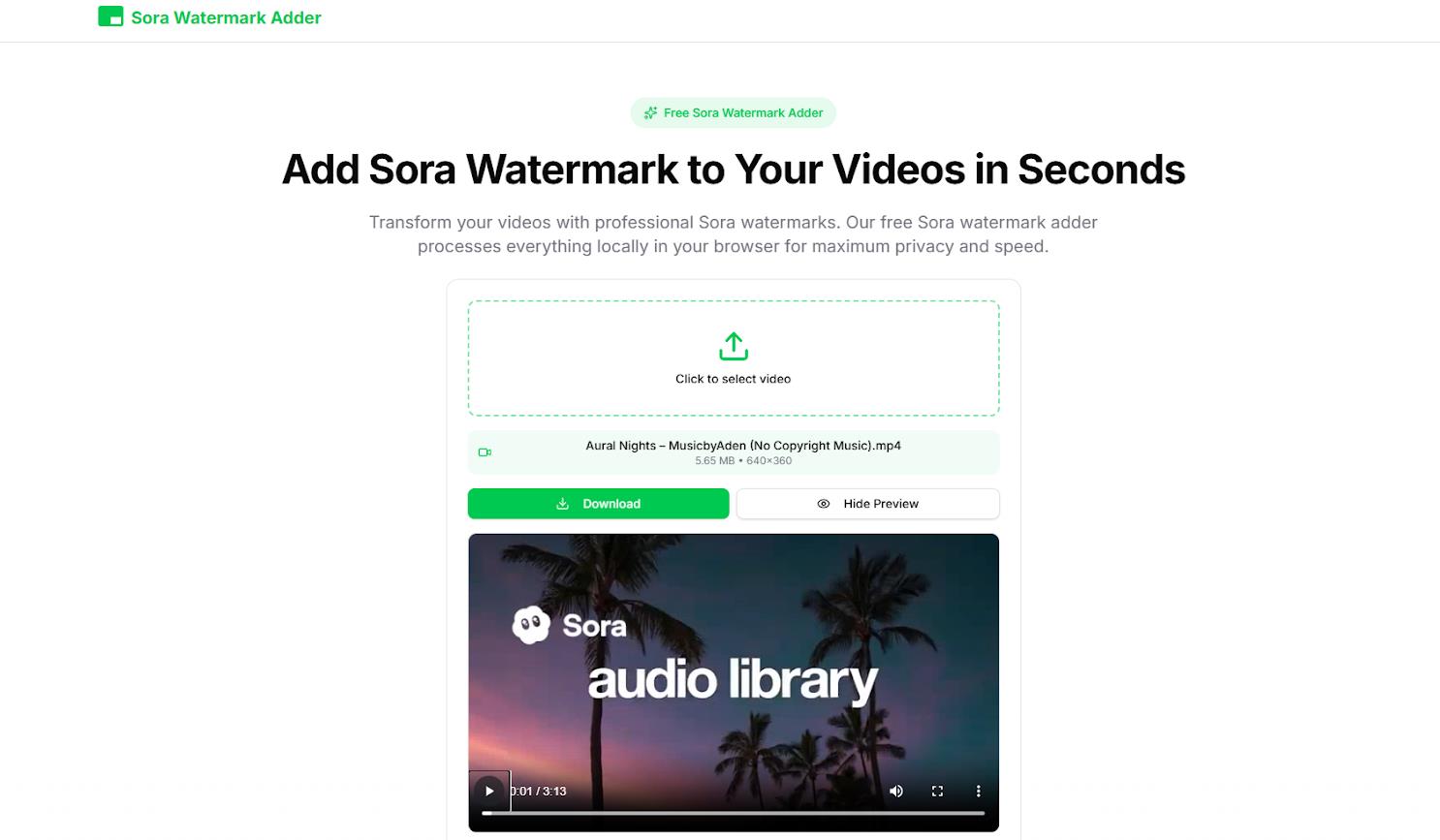
- Automatic processing: The tool automatically analyzes the video and applies the Sora watermark. Importantly, the position, transparency, and timing of the logo’s appearance perfectly match how it looks in official videos from OpenAI.
- Download the result: After 30–60 seconds (depending on the clip’s length and your processor’s power), the processed video is ready to be saved to your computer. The quality remains original (HD), with no compression.
No registration, no subscriptions, no waiting in queues — the service works instantly and has no limits.
Comparison with Competitors: What Makes Sora Watermark Adder Unique?
It might seem like Sora Watermark Adder exists in a vacuum, but it actually has competitors. The choice isn’t vast, but several solutions do exist:
- SoraMarker — An online tool for overlaying the Sora watermark. Unlike Sora Watermark Adder, it uses server-side processing based on FFmpeg, making it slower and more resource-dependent. Mentioned on social media as the “easiest way to add the mark,” but it lags in speed and privacy.
- RemoveSoraWatermark.online — An interesting hybrid: its main focus is removal, but it also has a mode for adding the mark as the “reverse operation.” It uses Sora servers for processing, raising privacy concerns. Model: free / paid premium.
- Wondershare Filmora (Sora module) — Part of a popular video editor. Supports both removing and adding watermarks using AI. It’s a powerful solution with extensive editing capabilities, but it’s paid (from $50/year) and overkill if you only need one function.
- DIY FFmpeg Scripts on GitHub — For technically savvy users. They allow you to add any watermark, including the Sora style. However, they lack a user-friendly interface and require command-line skills.
Where Does Sora Watermark Adder Win?
Sora Watermark Adder occupies a unique niche. It doesn’t try to compete with heavyweight editors or watermark removal services. Its strengths are maximum privacy, being completely free, speed, and simplicity for those who need to quickly give a video that “signature” Sora AI look without any hassle. The tool does one thing, but it does it well.
- Complete Privacy: Video files never leave your computer.
- Completely Free: No paid tiers, trial periods, or hidden fees.
- Maintains Original Quality: The finished video isn’t recompressed or reduced in resolution, unlike with many cloud converters.
- Authentic Watermark: The logo is identical to the original Sora AI mark.
- No Customization: You cannot change the position, size, or transparency of the watermark — only the standard option is available.
- Dependent on PC Power: On weaker computers or when processing long videos (over 5–10 minutes), rendering time can increase significantly.
- Lack of Mobile Optimization: On smartphones, you might encounter minor inconveniences when uploading files.
- Narrow Specialization: Only adds the Sora watermark; no additional editing functions.
Is Adding a Fake Sora Watermark Legal?
Adding the Sora watermark to non-Sora videos is a gray area. Sora Watermark Adder is just a browser tool for overlaying graphics. It’s legal to build/distribute. The risk lies in how users apply it (e.g., deceptive contexts). Similar to photo editors: the software is fine, misuse isn’t.
- For memes or personal fun — low risk.
- For commercial use, politics, or misinformation — high risk of complaints, takedowns, or legal action.
In a word — yes, in some cases it can violate OpenAI’s trademark rights (the cloud-eye logo is protected branding) or amount to passing off/misrepresentation if it deceives viewers about the video’s origin. Remember: OpenAI actively protects its marks.
Conclusion
Sora Watermark Adder is a niche but well-crafted tool. It doesn’t try to do everything; it solves one specific task perfectly. It’s another useful tool in the modern creator’s arsenal.
The tool is useful for viral social media experiments and quickly giving videos a “tech-forward” look. However, if you need professional video editing or need to customize watermark parameters for a specific brand style, this service’s capabilities won’t be enough.
❓ Frequently Asked Questions
Answers to relevant questions about this AI tool
Sources
-
Sora Watermark Adder — sorawatermarkadder.org
-
Privacy Policy — sorawatermarkadder.org
-
Sora Watermark Adder Review - Scout Forge — scoutforge.net
-
Sora Watermark Adder — sora-watermarkadder.org
-
Sora Watermark Adder — sora-watermarkadder.net







free is always better lol
Free and simple, does exactly what it says on the tin.
Why would anyone want to ADD a watermark to an AI video? Usually people want to remove them.