Vomo AI records a meeting, transcribes it in 50+ languages, and hands back a structured summary with action items. We cover how the Vomo AI transcript workflow performs, the 2026 pricing, whether Vomo AI is free, and the one platform gap that matters.
Vomo AI: Automated Meeting Notes & Transcription
On this page
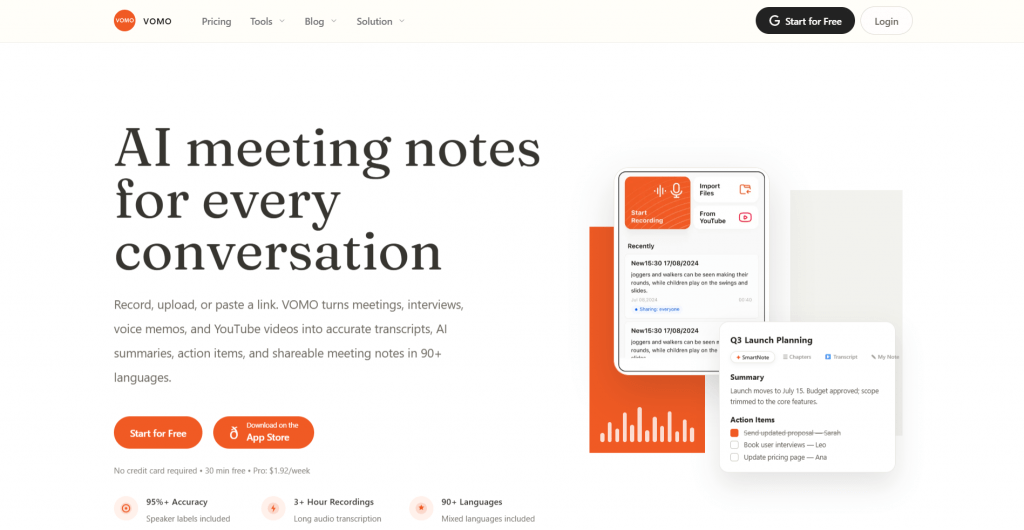
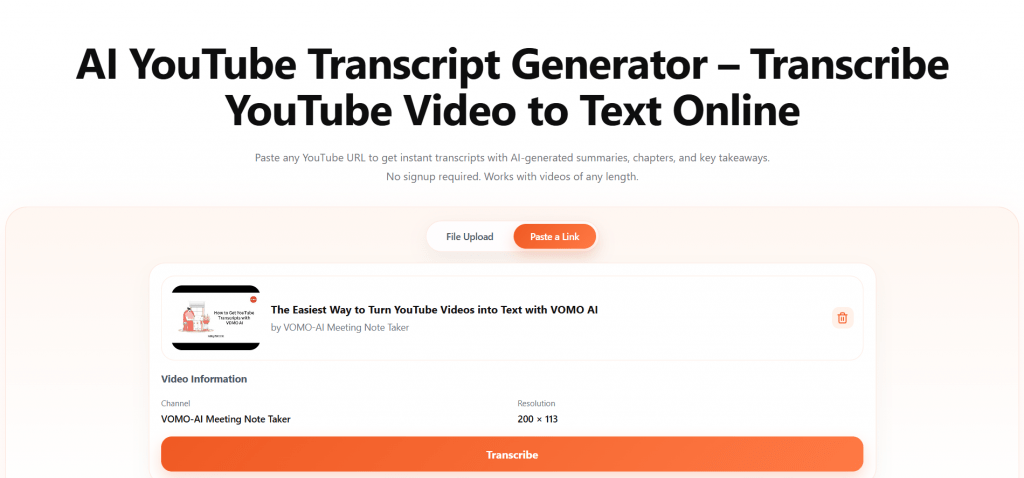
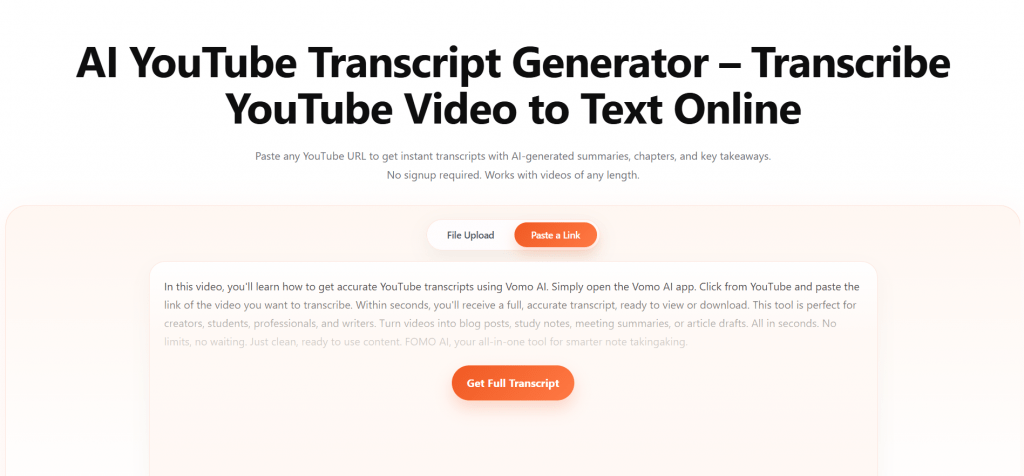
Taking notes while actually taking part in a meeting is a losing game: look down to write, and you miss what was just said. Vomo AI is built to remove that trade-off. Record the conversation, and it produces a Vomo AI transcript with speaker labels, then a structured summary with key takeaways and action items. It handles live meetings, uploaded files, voice memos, and even YouTube links in more than 50 languages.
Vomo runs on speech-to-text models, including OpenAI Whisper and Azure Whisper, paired with a language model for the summaries. The pitch is simplicity over enterprise bulk, which is both its appeal and, as the pricing section shows, its limit.
How Vomo AI Meeting Transcription Works
The workflow is short by design:
- Capture the audio. Record a live meeting or in-person conversation, upload an audio or video file, or paste a YouTube link.
- Let it transcribe. Vomo AI meeting transcription runs automatically, tagging who said what, with the company citing up to 99% accuracy on clear audio.
- Read the Smart Note. A summary arrives with key takeaways and action items, written only from what was actually said rather than invented.
- Chat with the transcript. An “Ask AI” feature lets you query the notes, pull specific details, or draft a follow-up email.
- Export or share. Send the result out as a PDF or text, or share a link.
Recordings sync across devices, so you can capture on a phone and edit on a computer through the web app.
What You Can Do With It
- Meeting notes. Turn calls on Zoom, Meet, or Teams into shareable minutes with owners assigned to each task.
- Interviews and research. Journalists and analysts can transcribe interviews, then query them with Ask AI instead of scrubbing audio.
- Lectures and study. Students can record classes or paste a lecture’s YouTube link and get a summary to revise from.
- Voice memos. Capture a thought on a walk and let Vomo turn it into structured text later.
A useful touch for specialists: a custom word list improves accuracy on names, jargon, and technical terms that generic models tend to mangle.
Who It’s For
Vomo AI suits freelancers, students, solo professionals, and small teams who want clean transcripts and fast summaries without an enterprise dashboard. Journalists, researchers, and podcasters get particular value from the recording-to-chat workflow.
What it is not: a team-collaboration platform. There are no deep CRM syncs, no multi-meeting intelligence across a workspace, and no live real-time transcription of the kind Otter offers. Vomo does capture-transcribe-summarize well and stops there.
Vomo AI Pricing 2026
Vomo keeps a two-tier structure and prices Pro by the week, which makes it look cheaper at a glance than the annual total suggests.
|
Plan |
Price |
What you get |
|
Free |
$0 |
One-time 30-minute transcription, summary, basic notes, transcript, no speaker labels or timestamps |
|
Pro (annual) |
$1.92/week, billed as $99.99/year |
Unlimited transcription, 99% accuracy, speaker ID, structured notes, Ask AI, unlimited storage |
|
Pro (monthly) |
$4.66/week ($19.99/month) |
Same Pro features, higher effective rate |
|
Pro (weekly) |
$7.99/week |
Same Pro features, most expensive per week |
The honest read: the free tier is a one-time 30-minute sample, not a usable free plan. It gives a transcript and a summary but omits speaker labels and timestamps, and once the 30 minutes are gone, you upgrade or stop. Vomo says it caps the free tier because the AI models it runs are expensive, and it offers extended trials on request through the app.
Pros & Cons
- Fast, accurate transcripts with speaker identification on Pro
- Strong AI summaries with action items written only from what was said
- Handles live audio, uploads, voice memos, and YouTube links in 50+ languages
- Ask AI chat turns a transcript into something you can query
- Annual Pro is cheap next to rivals that charge $10 to $30 a month
- No Android app: iOS and web only
- Free transcripts lack speaker labels and timestamps
- No team features, CRM syncs, or live real-time transcription
Languages and Access
Vomo AI transcribes and translates in more than 50 languages and can switch languages mid-recording, though some users note it sometimes switches on its own. Access is the real catch: there is a native iOS app and a full web app, but no Android app, so Android users are limited to the browser version. The site has no regional blocks and needs no VPN. The interface is English-first.
Final Thoughts
Vomo AI does one job cleanly: it turns talk into an accurate transcript and a summary you can actually use, across a wide range of sources and languages. For an individual on iOS who mostly needs notes and takeaways, the annual Pro plan is fairly priced. The reservations are just as clear. The free tier is a single 30-minute taste rather than a plan; there is no Android app, and anyone needing team collaboration or live transcription will outgrow it quickly. Judge it as a personal transcription tool and it holds up; expect a full meeting platform and it won’t.
❓ Frequently Asked Questions
Answers to relevant questions about this AI tool
Sources
-
VOMO AI — vomo.ai
-
Vomo Price & Plan — vomo.ai