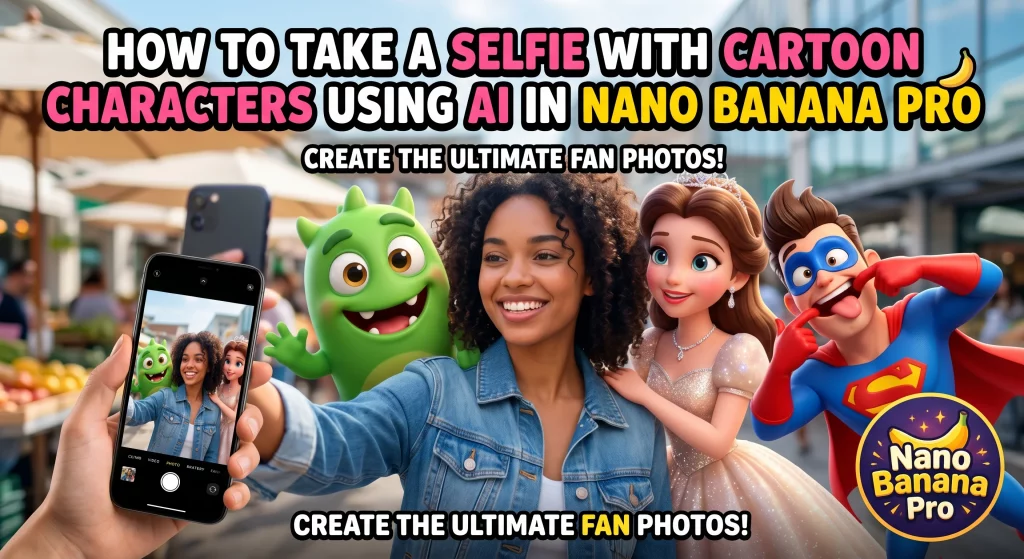
How to Take a Selfie With Cartoon Characters Using AI in Nano Banana Pro
On this page
There was a time when getting a photo with your favorite animated character meant standing in line at a theme park, hoping the costume head wasn’t tilted at a weird angle. Now it’s a lot simpler — and honestly, a lot more fun. With the right prompt and a decent selfie, you can build an AI selfie with cartoon characters that looks playful, polished, and weirdly believable in the best way.
That’s where Nano Banana Pro comes in.
If you’ve been trying to generate selfie with animated characters AI tools and keep ending up with extra fingers, melted faces, or characters floating in the background like confused ghosts, the problem usually isn’t the idea. It’s the setup. Nano Banana Pro can produce much cleaner results when you give it the right image, the right framing, and a prompt that doesn’t fight itself.
This guide breaks down how to take a selfie with cartoon characters using AI without making the final image look cheap, overprocessed, or painfully fake.
Why this style works so well
Cartoon selfie edits hit a sweet spot that normal photo filters don’t. They mix something familiar — your actual face, your clothes, your expression — with something instantly shareable and a little cinematic. It can be nostalgic, funny, romantic, dramatic, or just absurd in the way the internet loves.
A good cartoon selfie doesn’t look like a sticker pack pasted onto a random portrait. It feels like a scene. That’s the difference.
The goal isn’t simply to drop a character next to you. The goal is to make the viewer think, “Okay, this looks like a moment that could have happened.” Even if that “moment” is you taking a mirror selfie with an anime swordsman, a vintage Saturday-morning mascot, or a princess-style sidekick holding bubble tea.
Start with the right selfie, not just any selfie
This part gets skipped all the time, and then people blame the generator.
If you want a strong result, use a selfie that already gives the model something useful to work with. That means:
- clean lighting on your face
- a visible jawline and eyes
- a natural pose
- minimal blur
- enough space in the frame for one or two characters
Front-camera snapshots in bad yellow bathroom lighting can still work, but you’re making life harder than it needs to be. If you want the final image to feel polished, start with a photo that looks calm and clear.
The best base images usually have one of these setups:
- a casual street selfie with some background depth
- a coffee shop or indoor lifestyle shot
- a simple portrait with clean side lighting
- a mirror selfie with open space around you
- a travel-style outdoor photo with balanced daylight
If you already look good in the source image, Nano Banana Pro has a much easier job preserving what matters.
What Nano Banana Pro does better than most casual generators
A lot of people treat every AI image tool like it behaves the same way. It doesn’t.
Nano Banana Pro tends to perform better when you want one image to blend two different visual languages: a real human face and stylized animated characters. That mix can go wrong fast. The person starts to look plastic, the character loses its charm, or the whole thing turns into visual soup.
The trick is to keep one foot in reality and let the cartoon energy live around it.
In practice, Nano Banana Pro works best when you tell it three things clearly:
- who the real subject is
- what kind of animated characters should appear
- how the photo should feel overall
That last part matters more than people expect. If you ask for “a selfie with cartoon characters,” you’ll get something broad. If you ask for “a natural phone selfie on a city street with two cheerful animated side characters leaning into frame, warm afternoon light, realistic skin texture, candid expression,” the model has an actual direction.
That’s when the image starts to look intentional.
The easiest formula for a good prompt
You do not need a giant wall of prompt text. You need a prompt that knows what it wants.
A solid formula looks like this:
Subject + camera angle + setting + character style + interaction + lighting + realism cues
Here’s a simple example:
Create a realistic smartphone selfie of a young woman smiling at the camera in a sunny city street, with two friendly animated characters leaning in beside her, playful energy, soft natural skin texture, believable shadows, candid social media photo vibe.
That works because it gives the generator structure without choking it.
If you want better output, add interaction. Don’t leave the characters standing there like cardboard displays. Make them do something:
- one character waving into the lens
- one character laughing behind your shoulder
- both characters crowding into the frame
- one holding a drink, one making a peace sign
- one looking at you instead of the camera
- That tiny shift makes the image feel alive.
What you’ll need
First, open Nano Banana:
This tool is well suited for these types of tasks because it can use the uploaded photo to more accurately preserve a person’s appearance: face, hair, skin tone, and overall likeness. If the original is good, the result is usually noticeably more realistic.
Step 1. Upload your selfie
Photos that work best are those that:
- the face is visible close up and not tilted too much
- the lighting is even, without harsh shadows
- no filters, masks, or excessive retouching
- there are no unnecessary objects in front of the face
- the photo is not blurry or too dark
In short: the cleaner and clearer the original, the easier it is for the AI to create a believable result.
Selfies with poor lighting are also worth trying, but a good portrait almost always wins.
Step 2. Insert a prompt
Below is a completed prompt that can be used as a base. It’s written differently, not a carbon copy, but it sets the same goal: take a realistic selfie of a person with cartoon characters.
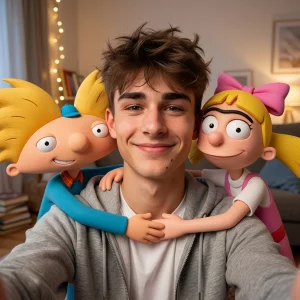
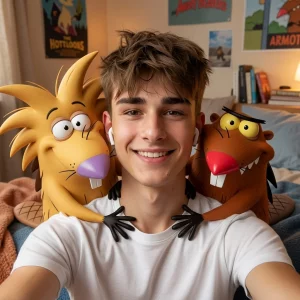
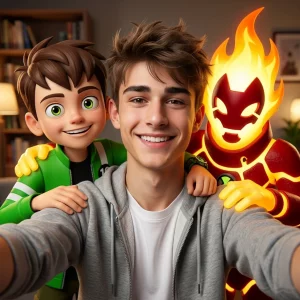
Prompt:
Create a realistic, highly detailed smartphone selfie using the uploaded photo as a reference for the person’s appearance. Maintain the face, eye shape, skin tone, hairstyle, and recognizability. The person is smiling and looking directly into the camera, as if taking a lively, friendly group selfie. Standing next to them, on either side, are the main 3D characters from the cartoon [CARTOON NAME]. They interact with the person in a friendly manner, lightly hug them, and pose for the group shot. The person is wearing modern, casual clothing. The background is a cozy location with soft, warm lighting and a pleasant atmosphere. Realistic skin, natural facial expressions, a natural smile, cinematic lighting, sharp focus, harmonious composition, high human realism, and a high-quality 3D cartoon style for the characters.
What to write instead of the cartoon title
Instead of [CARTOON TITLE], substitute whatever you need. For example:
- Toy Story
- Shrek
- Minions
- Frozen
- Inside Out
- SpongeBob
You can try other options. The clearer the cartoon style, the easier it is for the model to capture the desired mood of the image.
Step 3. Select generation parameters
After the prompt, all that remains is to set the basic settings.
Typically, the following are suitable for these photos:
- Quality: High or Ultra
- Aspect Ratio: 1:1 for avatars, 4:5 for posts, 9:16 for TikTok, Shorts, and Stories
If you’re creating content for vertical platforms, it’s best to go with 9:16.
If you need a profile picture or preview, 1:1 is more convenient.
Then simply click “Generate” and wait for the result.
What will you get?
In a few seconds or a little longer, you’ll get an image where you look like yourself, and cartoon characters appear in the frame next to you. If the prompt is well-composed, the result will look not like a crude insertion, but like a fully staged selfie.
These images are often used for:
- avatars
- short videos and covers
- social media posts
- fan accounts
- memes and entertaining content
- profile design
How to get the best result the first time
It’s all about the little things. The same prompt on a bad photo and a good one can produce completely different results.
Here’s what really helps:
Use a portrait photo
The more visible the face, the more accurately the AI will transfer facial features.
Don’t overload the frame
If the original is already cluttered with objects, the model may start to get confused with the composition.
Try several cartoons
Sometimes one style looks average, while another instantly captures the right atmosphere.
Run 2-4 generations in a row
It’s rare that the very first version is perfect. Usually, the best shot is found on the second or third try.
Clarify the mood of the scene
You can add the following to the prompt: — bright cozy interior:
- cinematic warm light
- cheerful selfie mood
- realistic phone camera photo
- soft depth of field
This helps create a more pleasant image without the “raw neural network” feel.
If you want even more realism
You can enhance the prompt with details that specifically contribute to the “lively” look of the shot. For example, add:
- natural skin texture
- realistic facial details
- authentic smartphone selfie
- balanced lighting
- candid group photo look
These inserts help eliminate a plastic face, overly cartoonish skin, or an overly glossy result.
Quick prompt option
If you don’t want to bother with a long description, you can use the short version:
Create a realistic smartphone selfie from the uploaded photo. Save my face, hairstyle, and appearance. I’m smiling at the camera, and next to me are 3D characters from the cartoon [TITLE]. Warm light, a cozy background, a friendly atmosphere, natural skin, sharp focus, high-quality composition, a realistic person, and vibrant cartoon characters.
This is already enough to create a decent base.
What ideas can be created with Nano Banana Pro
This format is commonly used for:
- selfies with cartoon characters
- photos with Pixar-style characters
- AI selfies with Disney-style characters
- shots with 3D animated characters
- fan avatars with favorite cartoons
- vertical covers for Shorts and TikTok
- atmospheric AI photos
- For social media
The bottom line
If you need a quick and effective way to take a photo with cartoon characters, the Nano Banana Pro is a very convenient option. Upload your selfie, insert the right prompt, set the desired format, and you’ll get a finished image you’re ready to use as your profile picture or share on your feed.
The key is to avoid taking a random, dark photo and not limit yourself to just one attempt. A good original photo and a decent prompt almost always produce a noticeably better result.