RoomGPT is an AI-powered room design generator that quickly transforms photos into stylish interiors.
T&Cs Apply
Pricing model: Freemium (free with limitations, paid subscription). Developer: unknown (online service).

Below is a brief introduction to Genie AI, including key features and terms of use.

T&Cs Apply
Pricing: Free (currently, subject to change). Developer: Luma Labs.

DeepSeek AI is a smart AI chatbot from a Chinese company that helps with communication and text generation.

T&Cs Apply
Pricing: Free. Developer: Hangzhou DeepSeek Artificial Intelligence Co., Ltd. (China).

Hugging Face is a platform with a huge selection of models and libraries for NLP.

T&Cs Apply
Hugging Face Transformers, a library for working with multitask AI models Cloud-based AI models for performing NLP tasks online
Claude AI is an advanced AI assistant from Anthropic for complex text, data, and programming tasks.
T&Cs Apply
Pricing model: Freemium (free with limits, paid Claude Pro subscription). Developer: Anthropic.
Gemini is a multi-functional AI assistant from Google for generating and analyzing text, code, and images.
T&Cs Apply
Pricing model: Freemium (free with limits, paid Gemini Advanced subscription). Developer: Google (DeepMind).

Mistral AI is a provider of cutting-edge open-source large language models for developers and businesses, focusing on efficiency and transparency.
T&Cs Apply
Pricing model: Freemium (free tier with limits, per-minute/flow payment for use). Developer: Mistral AI.

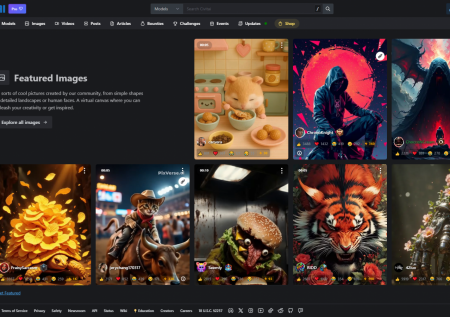
Imagine a giant creative laboratory. That's what Civitai is.

T&Cs Apply
Find the perfect model, whether it's for creating stunning AI-powered Instagram content or charismatic Civitai videos for TikTok. Share your own work – maybe your unique style will become a new trend?
n8n

n8n: Open-Source AI-powered workflow automation platform

T&Cs Apply
Pricing model: Freemium (free self-contained core + paid cloud subscriptions). Developer: n8n Technologies GmbH (founder Jan Oberhauser).

OpenAI's Big Language Model That Can Conversation and More

T&Cs Apply
Pricing model: Freemium (free access to GPT-3.5, paid subscription ChatGPT Plus for $20/month for GPT-4). Developer company: OpenAI (founders: Sam Altman, Ilya Sutskever).

Windsurf: Free AI Assistant for Auto-Completion and Code Generation

T&Cs Apply

Pricing model: Free (at the time of writing).
Developer: Windsurf AI, Inc. (formerly known as Codeium).

AI Tools for Developers: Automating Code Generation, Debugging, and Pipeline Optimization

The software engineering field requires balancing rapid feature deployment with codebase stability, security compliance, and system optimization. Software developers, DevOps engineers, and system architects spend a large portion of their development cycles on repetitive tasks such as writing boilerplate code, configuring environments, tracking down bugs, and drafting documentation. Dedicated AI tools for developers resolve these inefficiencies by serving as contextual coding assistants. These platforms use machine learning algorithms trained on large code repositories to automate code autocompletion, refactor legacy scripts, generate test suites, and analyze continuous integration pipelines.

Integrating artificial intelligence into software development lifecycles changes how engineering teams write, test, and deploy software. Instead of manually searching through endless documentation pages or debugging stack traces for hours, engineers use context-aware code editors to identify syntax and logical issues instantly. The primary purpose of these development platforms is to remove mechanical coding delays and lower cognitive strain. This technical automation allows software engineers, cloud architects, and database administrators to build scalable applications faster, reduce technical debt, and focus on system design, database architecture, and business logic.


Core Operational Functions of Developer Automation Software

The utility of artificial intelligence in software engineering centers on its capacity to analyze abstract logic, predict next lines of code, and map systemic errors across files.

  • Contextual Code Autocompletion: AI assistants analyze active source files and comments to suggest full syntax lines, functions, or entire algorithms as the developer types.
  • Automated Bug Tracking and Refactoring: Advanced static analysis models scan directories to isolate logical vulnerabilities, recommend secure code replacements, and update deprecated library dependencies.
  • Unit and Integration Test Generation: Engineering systems automatically review code logic to generate functional test cases, coverage mocks, and edge-case validations, ensuring software stability before deployment.
  • Natural Language Code Translation: These systems translate programming logic between different languages—such as converting legacy COBOL or Java scripts into modern Python or Go services—while keeping the core logic intact.

Targeted Technical Roles and Practical Engineering Use Cases

Implementing specialized programming applications helps engineering departments eliminate development bottlenecks by replacing manual coding routines with automated loops.

Frontend and backend developers use these tools to speed up initial scaffolding phases and component creation. Instead of writing standard API connections or UI layouts by hand, programmers use text prompts within their IDE to generate operational functions, helping teams move from mockups to working prototypes with fewer code errors.

DevOps specialists and cloud architects rely on machine learning networks to manage infrastructure configuration and monitoring. When setting up cloud deployments, automated tools write infrastructure-as-code scripts, build secure deployment files, and scan server environments for security risks, keeping infrastructure management streamlined and safe.

QA engineers and security auditors employ autonomous testing systems to verify software stability and find performance bugs. By running automated analysis engines against repository branches, teams catch memory leaks and configuration errors before code moves to live production servers, preventing operational downtime.


Architectural Classification of Developer AI Tools

The software engineering market features distinct developer tools classified by their runtime environments, security boundaries, and target operational goals.

System Classification Primary Development Focus Standard Workflow Output
IDE Assistants Real-time code autocompletion, inline comments, syntax fixes Active script files, functional commands, inline patches
Codebase Review Engines Repository analysis, vulnerability finding, style checks Security audit logs, test suites, pull request reviews
Pipeline automation Tools Infrastructure configuration, terminal tools, build loops Deployment scripts, environment setups, log analysis

Development teams must evaluate the advantages of cloud-hosted AI applications versus local open-source deployments. Cloud systems offer massive cloud scaling and fast data processing for everyday feature updates. On the other hand, enterprises managing proprietary source code, healthcare systems, or financial algorithms often deploy local infrastructure models to ensure data privacy and keep code secure within internal firewalls.


Key Technical Features and Performance Selection Metrics

When building an efficient programming tech stack, engineering leads must prioritize functional performance metrics over software marketing statements.

  • Repository Context Awareness: High-tier developer tools must interpret full directory structures rather than individual open files, allowing the AI assistant to make suggestions that match existing project conventions and internal logic.
  • Deterministic Logic and Code Trust: Code generation software must follow strict syntax logic. Elite systems offer explicit references to library sources, verify license compatibilities, and minimize broken syntax loops.
  • Native IDE Integration: Engineering platforms must embed directly into standard developer environments—such as VS Code, IntelliJ, or terminal consoles—allowing creators to run refactoring commands and checks without switching apps.

A Structured Pipeline for AI-Assisted Software Engineering

To gain predictable value from machine learning tools while keeping total control over software stability, developers should follow a structured five-step workflow.

  1. Project Setup and Alignment: Define development objectives, gather target library specs, and structure your repository environment to match project requirements.
  2. Context Mapping: Configure the assistant by defining codebase limits, setting style guidelines, and pointing it to specific directory files to ensure relevant syntax suggestions.
  3. Autonomous Code Generation: Use natural language prompts or comments to generate boilerplate scripts, functional components, or initial algorithmic setups.
  4. Human Code Review and Auditing: Carefully audit every line of generated code, check logical paths, verify library security, and adjust the logic by hand to meet performance targets.
  5. Pipeline Testing and Deployment: Run the completed code through automated unit tests and integration checks to confirm system stability before launching features to production.

"Artificial intelligence cannot replace the systemic architectural design, logical reasoning, and debugging skills of an experienced engineer. Instead, it eliminates mechanical typing and boilerplate drafting delays, turning developers into high-level editors and supervisors of automated development pipelines."