RoboNeo is a practical AI studio for automating visual tasks. Specialized tools for e-commerce, stickers, background replacement, and watermark removal. Flexible pricing, credit system, browser and mobile access. A workhorse for marketing content.
RoboNeo AI: Text-to-Image AI Generator
On this page
The number of image generation tools grows every month. Midjourney, DALL-E, Nano Banana — each has its strengths, but most remain “pure” generators: you provide text, you get a picture. But what do you do when you need something specific? Something like turning a real product photo into a studio shot for a marketplace, removing a watermark, or creating a set of Telegram stickers in five minutes?
For these tasks, there is a different type of AI service — specialized workhorses. They don’t try to amaze with artistic style. Instead, they solve routine but important problems for businesses and everyday users. RoboNeo is one such service.
In this review, we will break down what RoboNeo can do, who might actually find it useful, how much it costs, and where its weaknesses lie.
What Is RoboNeo
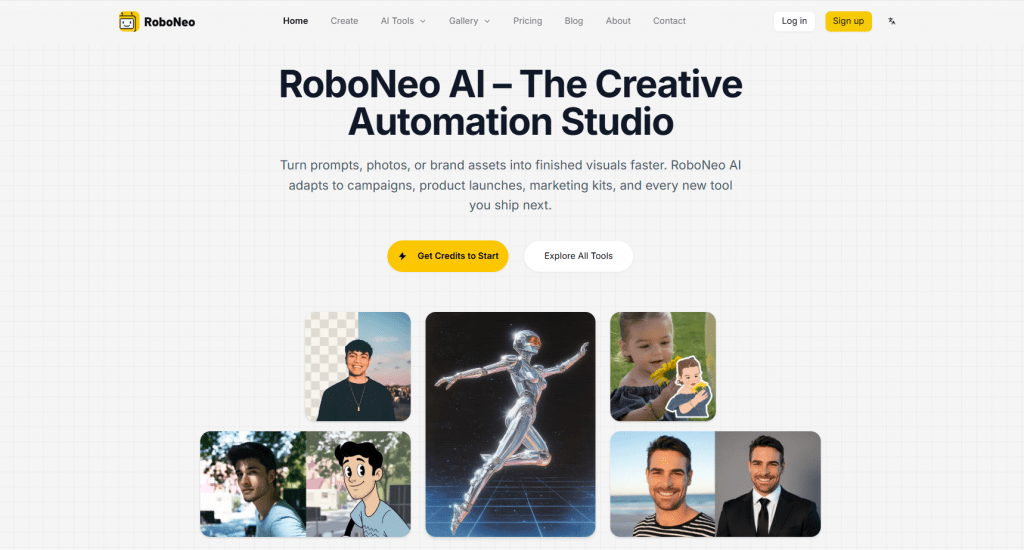
RoboNeo is a browser-based AI studio for generating and editing images, with some video capabilities. Developed by the Chinese company Meitu, the platform positions itself as a “Creative Automation Studio” — a tool for automating routine visual tasks, not another artistic generator for “all occasions.”
Unlike Midjourney or GPT Image, which excel at creating abstract or artistic images from scratch, RoboNeo is designed for practical scenarios: processing your own photos, creating product shots, making stickers, and replacing backgrounds.
The service is available in a browser as well as in mobile apps for iOS and Android.
What It Is Used For
RoboNeo’s main audience includes marketers, online store owners, content creators, and small businesses that need fast, predictable results without hiring a designer or organizing a photoshoot.
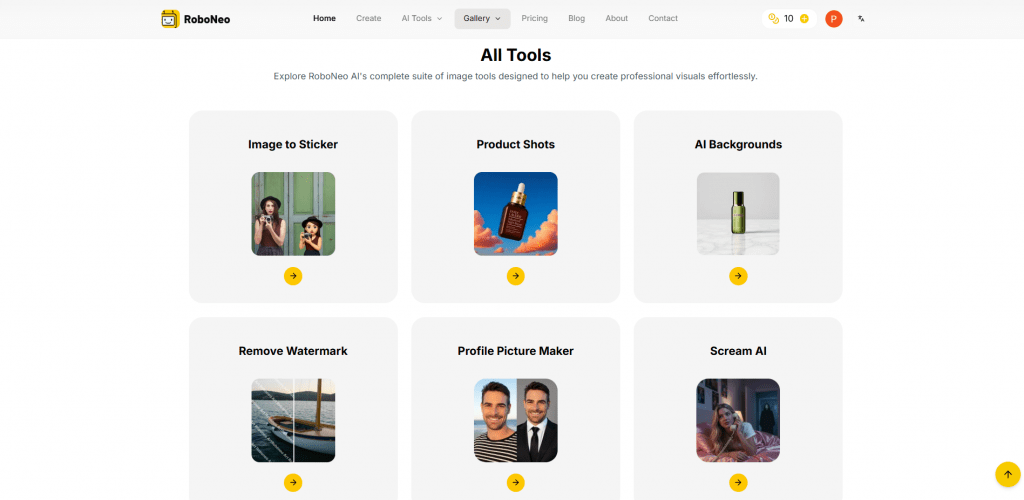
The platform offers a set of specialized tools, each solving a specific task:
- Image to Sticker — turns any photo into an iOS-style sticker with a transparent background and the ability to animate it as a Live Photo.
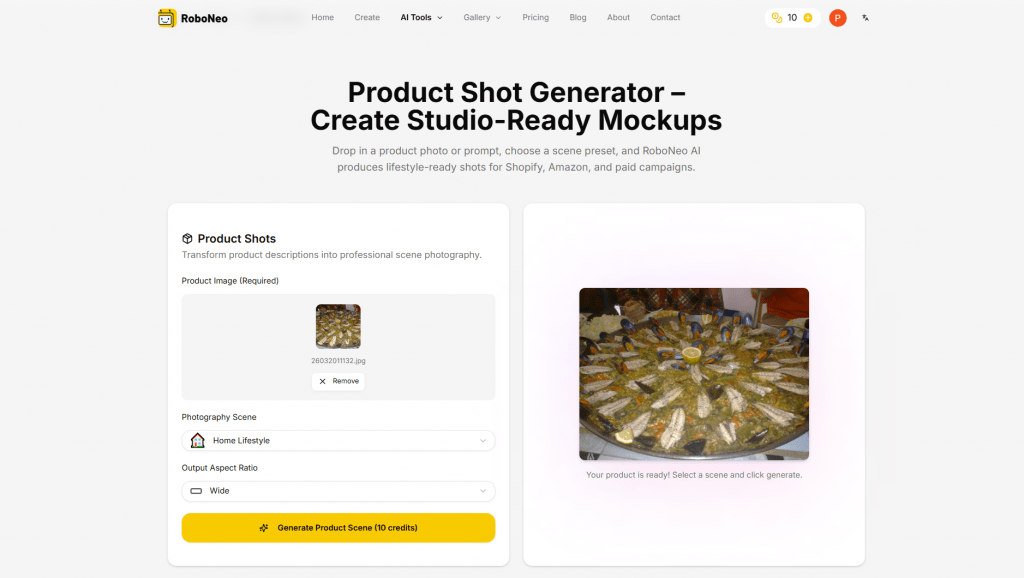
- Product Shots — creates studio-quality product photos by placing items into lifestyle scenes while preserving lighting and perspective.
- AI Backgrounds — replaces the background with a solid color or an AI-generated one, automatically matching the lighting of the original image.
- Profile Picture Maker — retouches selfies and creates branded avatars for social media.
- Watermark Removal — removes watermarks from images you have the right to edit using contextual inpainting.
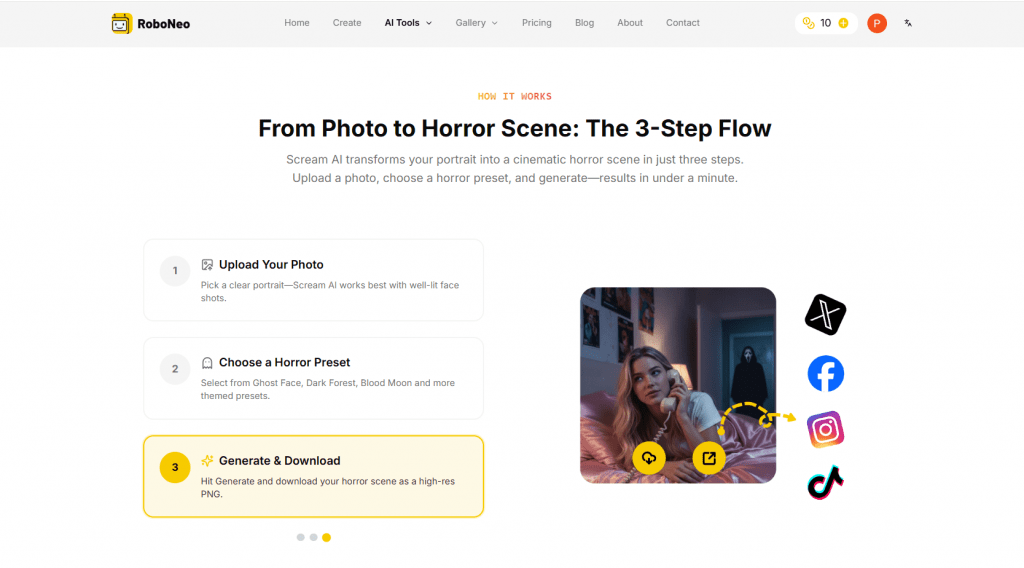
- Scream AI — stylizes portraits with a horror aesthetic in the spirit of “Scream” (a niche but interesting feature).
Additionally, RoboNeo supports Agent Teams — the ability to create chains of multiple AI agents (scriptwriter, designer, director, etc.) that work together on the complete content creation cycle, from idea to finished video.
The platform also features integrations with other models (Kling, GPT Image 2), indicating a hybrid architecture. RoboNeo acts as an interface and orchestrator for several AI engines.
How RoboNeo Works
The mechanics of using the service are simple and consistent across all tools:
- You upload your photo (or enter a text prompt).
- You select the desired tool: Sticker, Product Shot, Background, etc.
- The model, pre-tuned for that specific task, automatically performs the necessary actions: removes the background, optimizes edges, adjusts lighting, and fills in details.
- Within seconds, you get a result — usually a PNG with a transparent background, ready for use on social media, in ads, or on a website.
No manual masking or complex settings are involved. The system operates on a credit system (credits or “carrots” in the Russian version). Each successful generation consumes a certain number of credits, depending on the task’s complexity. For example, a simple image might cost 1 credit, while a complex video or processing job might cost 5–20+ credits.
Pricing
The pricing model is flexible: there are both one-time packs and subscriptions that can be canceled at any time.
|
Plan |
Price |
Credits / Generations |
Key Features |
|---|---|---|---|
|
Free (Freemium) |
$0 |
10 starter credits + daily bonuses (e.g., 20 carrots/day, expire in 24 hours) |
Limited access, watermarks or ads may apply |
|
Starter Pack (One-time) |
$3.99 |
10 image generations |
No subscription required, standard speed |
|
Pro (Subscription) |
$8 / month |
2,000 credits per month |
3x standard speed, high-res downloads, no ads or watermark |
|
Ultimate (Subscription) |
$16 / month |
5,000 credits per month |
Priority queue (5x faster), early access to new features, up to 4K resolution |
Important: Prices are in USD, and taxes may be added separately. Pricing in mobile versions may differ — for example, the Chinese App Store lists a VIP subscription for 68 yuan (about $9.5) per month.
Who Will Benefit
First and foremost, RoboNeo is for those tired of abstract artistic generations and needing concrete, measurable results: processed product photos, clean backgrounds, packaging for social media. This is a tool more for “practical” and “commercial” AI than for pure artistic creativity.
It is ideally suited for:
- Online store owners on Shopify, Wildberries, Ozon.
- SMM managers and targeting specialists.
- Small agencies and “teams of one.”
- Bloggers and influencers who need visuals on a daily basis.
Personal Use Cases
RoboNeo can be useful for the average user in several everyday scenarios:
- Creating your own stickers for messengers: Photograph your cat or yourself — turn it into a sticker with a transparent background in 5 seconds.
- Quick social media avatar retouch: Upload a selfie — get pleasant lighting, a clean background (or brand color), and ready-cropped options for LinkedIn, Instagram, and Telegram.
- Removing clutter from photos: Did strangers appear in your beach shot? Or did extra information show up on a document? The Watermark Removal tool (though designed for watermarks) handles such tasks as well.
- Hobbies and creativity: Make a funny meme, stylize a portrait as a horror poster to prank your friends, or simply experiment with generating images from text prompts.
Business Use Cases
RoboNeo shows its real strength in business contexts. For small and medium-sized businesses, it can serve as a replacement for a small design studio:
- E-commerce: You have only one product photo on a white background. RoboNeo can generate a dozen lifestyle scenes: place the product on a table in a cozy room, on a beach towel, or in an office environment. This is ideal for A/B testing creatives without a photoshoot budget.
- Social media marketing: Quickly create post covers, product cards for Pinterest or Instagram Stories. Adapt the same image for different platforms in minutes.
- Branding: Create a set of avatars and banners with a consistent style for an entire team or for a brand’s various social media channels.
- Short videos: Based on user reviews, RoboNeo handles the creation of short viral videos or improving the quality of existing videos reasonably well.
User Reviews and Ratings
Overall user sentiment is mixed but shows a clear trend: praise for convenience, complaints about pricing and accuracy.
Positive aspects users highlight:
- High realism in product shots and excellent handling of lighting.
- Convenience and speed of tools for stickers and background replacement.
- Time and budget savings for marketing tasks.
- Clear and intuitive interface.
Main complaints and criticism:
- Significant price increases. One user explicitly writes that the “cost of generation has more than tripled” compared to the end of 2025, and the app tries to “force” a paid subscription.
- Low accuracy with complex prompts. For example, problems with copying a simple pattern from one image to another.
- Quick depletion of credits, especially when working with video. The free tier offers very limited capabilities.
- Feeling of “just another paid service.” Some users expected more from the free version and were disappointed.
- High speed and convenience for specific business tasks like product photography.
- Quality automatic handling of lighting and perspective without manual masking.
- Useful niche tools rarely found together in one place (stickers, watermark removal).
- Flexible pricing system with a free tier to start.
- Credit limits run out quickly with active use, especially for video.
- Based on user feedback, prices are rising and accuracy on complex requests is decreasing over time.
- Not suitable for complex, open-ended artistic creation or ultra-professional video work.
- The free tier is extremely limited, and daily bonuses expire within 24 hours.
Key Competitors
RoboNeo occupies an interesting niche, positioned between “pure” generators and specialized editors.
- Midjourney / DALL-E / Grok Imagine: These are the giants of “pure” generation. They are better for creating art from scratch, abstractions, and illustrations. However, they can barely work with your original photos for product shots or retouching. They are different tools for different tasks.
- Runway / Kling AI: These services are the kings of video generation. RoboNeo has video functions, but it lags behind specialized video models in quality and depth of control. However, RoboNeo is significantly cheaper and more versatile as an “images + some video” package.
- Leonardo.ai / Ideogram: These are similar in spirit. Leonardo also offers tools for generation and editing. RoboNeo’s key difference is its greater focus on specific workflows (stickers, avatars, packaging) and the availability of mobile apps.
- Fotor / Cutout.Pro: These are mass-market online editors with AI functions. They have huge audiences (Fotor has 9.5 million monthly visits), but RoboNeo appears more modern and “agent-oriented,” especially with its Agent Teams feature.
Conclusion
RoboNeo is a solid “work tool” — simple and reliable like a screwdriver. It doesn’t try to replace Midjourney or Runway. Its strength lies in practicality, specialization, and the automation of tedious but necessary tasks. If you are a marketer, a small store owner, or a freelancer who needs 10 product photos in different interiors, 20 stickers for Telegram, and 5 avatars for a team every day, RoboNeo will save you a lot of money and frustration.
However, be prepared for the fact that the free tier is just a demo, and productive work will require payment. And prices, according to reviews, tend to increase. It is recommended to start with the free tier, test it on your specific tasks (e.g., make a few product shots), and if the results are satisfactory, choose a suitable paid plan.
❓ Frequently Asked Questions
Answers to relevant questions about this AI tool
Sources
-
RoboNeo AI — roboneo.art
-
Pricing - RoboNeo AI Plans & Credit Packs — roboneo.art
-
RoboNeo Creative Workflow - AI Image & Video Generator — roboneo.art
-
RoboNeo AI Review 2026: Can It Boost Your Video Production? — magiclight.ai