

Writing a good AI image prompt is a skill, and most people learn it by slow trial and error. Twin Pics AI turns that practice into a game: recreate a target image using 100 characters or less, then see how close you got. We cover how it works, why the tight limit makes you better, and how to climb the leaderboard.
Twin Pics AI Browser Game Review: A Prompt Engineering Trainer
On this page
Twin Pics is, in many ways, a unique product. It’s a browser game that also serves as a trainer for writing prompts for AI image generators. It’s a ready-made educational tool for prompt engineering teachers. For everyone else, it’s a way to quickly and practically master the skills of professional dialogue with AI, to understand how the machine “reads” our descriptions. Finally, it’s simply an addictive puzzle in the spirit of Wordle.
What is Twin Pics AI for, and Who is It for?
Sam Altman, CEO of OpenAI, recently said: “AI won’t replace humans. But humans who use AI will replace those who don’t.” It’s a harsh statement, but it’s true. Circumstances are objectively shaping up so that the ability to work with AI is a crucial competency for anyone today.
From this perspective, the time you invest in Twin Pics is a solid investment in your own future in the coming digital world.
Twin Pics is not a tool for creating production-ready art, like Midjourney. It’s a trainer for “visual literacy” and “semantic compression” in communicating with AI. It’s very useful if you want the machine to understand you precisely, not “approximately.”
The main audience for Twin Pics:
- Teachers and Students (Key Segment). The “Classrooms” feature allows you to create a group via a link without registration — ideal for English (ESL) lessons, developing descriptive writing skills, or teaching basic AI literacy. Teacher feedback: “energizing,” “kids love it,” a great “bell ringer” for 5-10 minutes.
- Beginners in Image Generation. If you’re just starting with Midjourney or DALL-E, the game will, in a few days, instill an understanding of the importance of style, lighting, and composition, rather than just listing objects.
- Designers, Copywriters, Developers. As a way to “stretch your brain” and hone the skill of formulating clear specifications for neural networks. It’s a kind of “typing tutor for visual language.”
- Hardcore Leaderboard Players. Those chasing a score of 100% and studying the successful formulations of competitors.
How Does Twin Pics AI work?
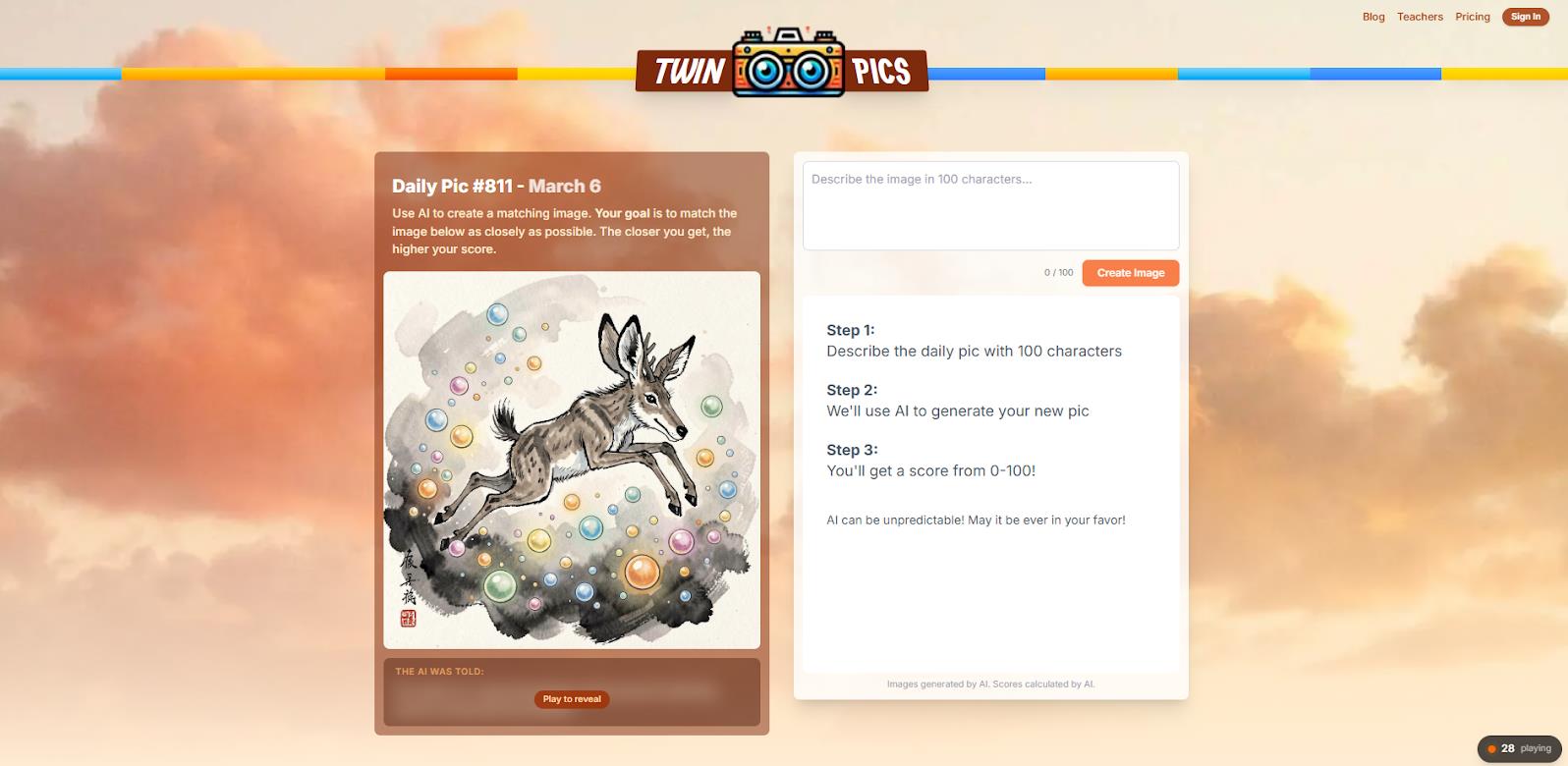
Twin Pics AI is a free browser-based prompt engineering trainer packaged as a daily challenge game. Every 24 hours, a new target image generated by a neural network appears on the site. Your task is to describe it within 100 characters so that the AI, using your prompt, “recreates” an image as similar to the original as possible. The system itself compares your result to the original and gives a score from 0 to 100. There’s a public leaderboard, statistics, and streaks for authorized users.
The project is developed as a side project by Chris Sevillano and, as of March 2026, shows decent organic growth: 60 thousand monthly users and over 2,000 daily players.
The mechanics are transparent and deceptively simple:
- The Challenge. You see “Daily Pic #811” (at the time of analysis) — an image of a playful jackalope in ink wash style, diving for pearls.
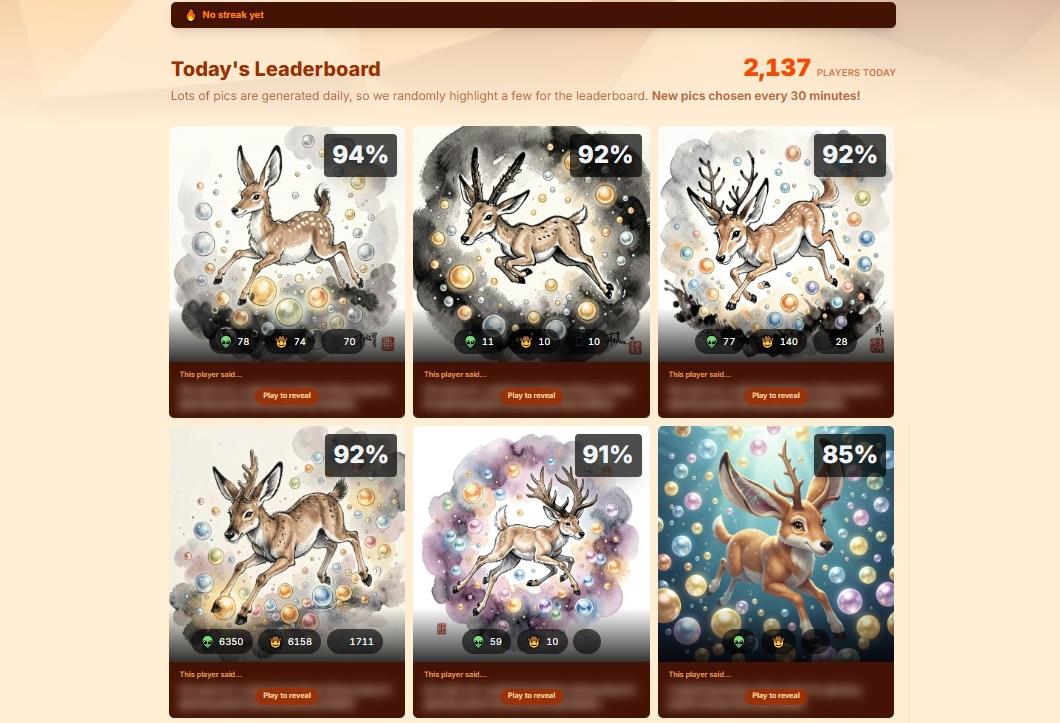
- The Action. You write a prompt. For example, like in the top of the leaderboard: “Ink wash art: a playful jackalope diving deep for glowing pearls among dancing bubbles.” (93 points).
- The Result. The AI generates an image based on your description and instantly compares it to the original, giving a score.
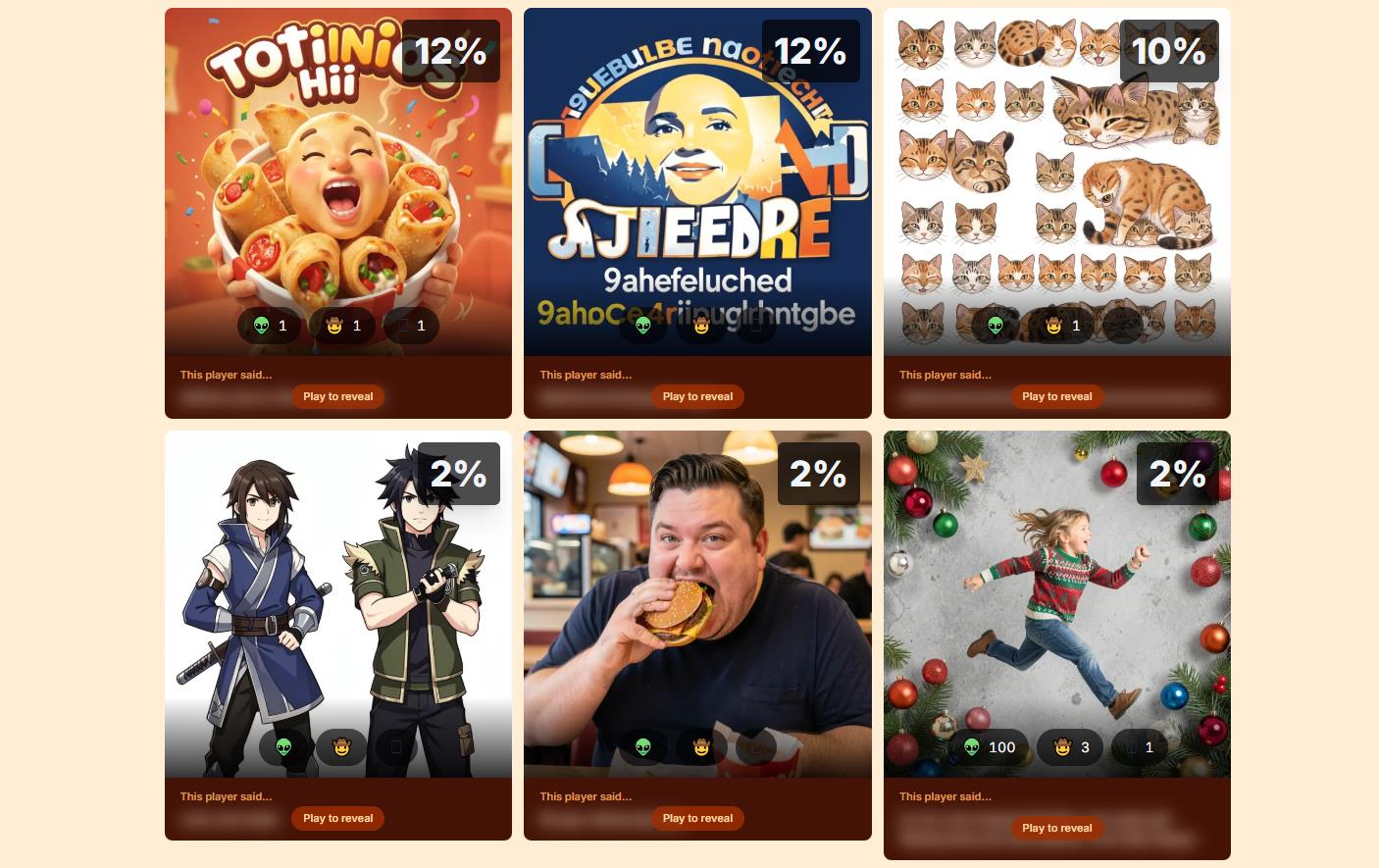
- The Analysis. Your result (and prompt) appears on the public leaderboard if it’s high enough. You can immediately learn from those who scored 95-100%.
An important nuance the game honestly warns about: “AI can be unpredictable.” The same prompt can yield different scores upon resubmission due to the stochastic nature of neural networks. This isn’t a bug, but a feature that adds an element of luck and replayability.
Twin Pics AI Monetization Policy
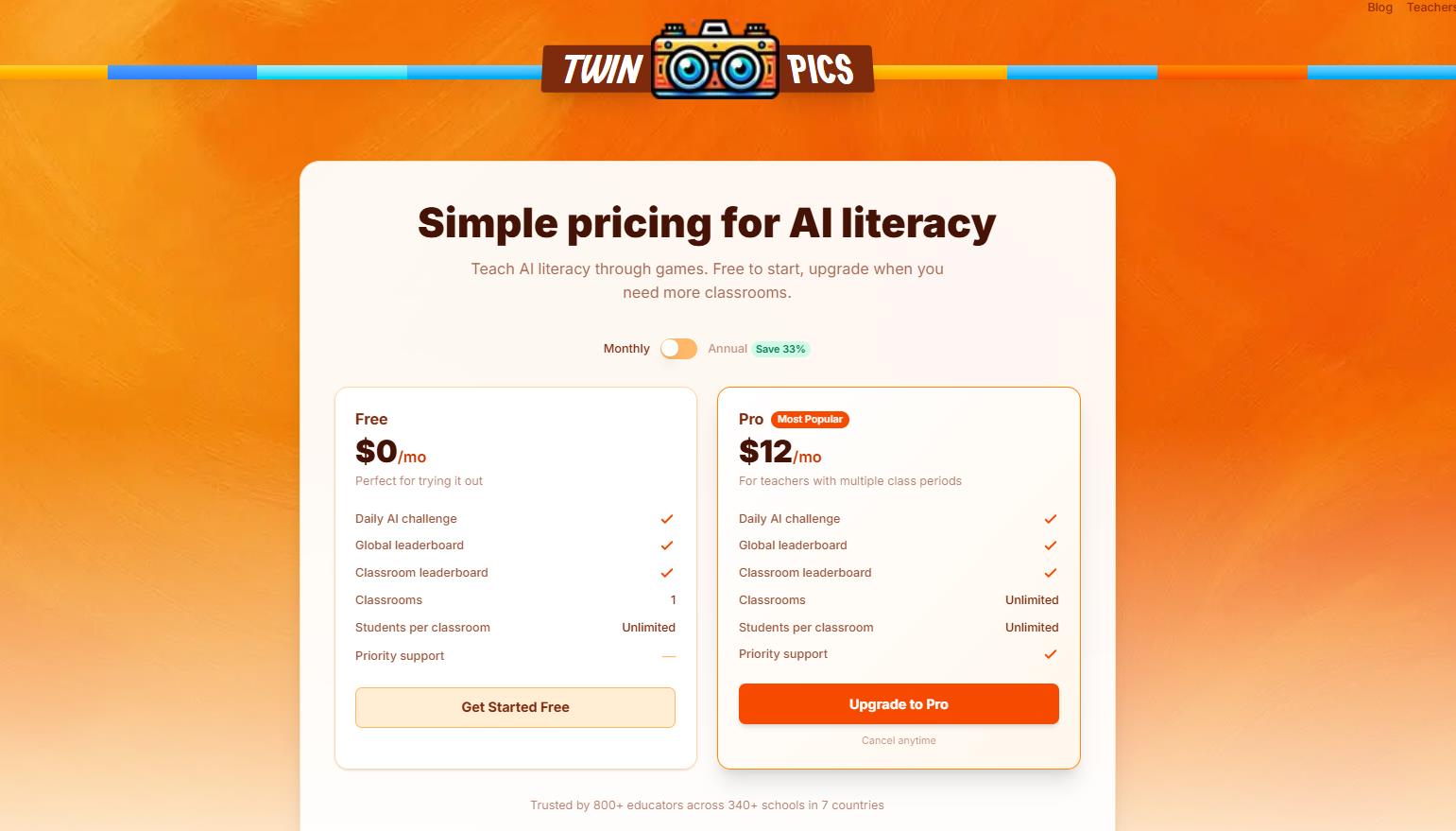
The core game is free for all users (including the daily challenge, global leaderboard, image generation from prompts, personal attempts, and even one classroom). There’s no paywall for regular players — you can play indefinitely without paying a cent.
However, there is a Pro plan for $12 per month (cheaper with annual payment). It’s aimed exclusively at teachers/schools.
Why? Monetization is fundamentally non-aggressive and doesn’t affect the core gameplay. But for teachers, one free classroom = one join code (e.g., for one lesson/day) might be insufficient. If a teacher has 5-6 lessons a day or multiple groups, they have to create new codes manually. The Pro level removes the limit on classrooms, making the game convenient for real school use. It’s “freemium for educators,” not pay-to-play.
|
Plan |
Price |
Key Limitations/Features |
For Whom? |
|
Free |
$0/mo |
– Daily challenge + global leaderboard |
Regular players + teachers with 1 class/group |
|
Pro |
$12/mo (monthly) or $8/mo with annual |
– Everything in Free |
Teachers with multiple classes, schools, districts |
-
- Strong educational effect. Clearly shows how wording affects the result.
- Low entry barrier. No need to download or register anything to start.
- Gamification element. The “one more try” effect is very strong here.
- Community and benchmarks. The public leaderboard is a ready-made knowledge base of the best prompts.
- A genuine educational tool. The “Classrooms” feature requires no registration for students, just a nickname and a link from the teacher.
- It’s free. No hidden payments or intrusive monetization.
- No iterations. You can’t edit a prompt, only submit a new attempt.
- The 100-character limit. Can be severely limiting for complex, multi-figure scenes.
- Niche focus. Not for those just looking for casual fun or wanting to download pretty pictures.
What are users saying about Twin Pics?
Reviews are mostly positive, concentrated in professional and educational niches:
- Review platforms (GeniusFirms, FirmSuggest) rate it 8.6-9/10, noting it’s the “best way to master prompting” and that the game “honestly warns about randomness.”
- On X/Twitter, players primarily share their scores (“92%!”, “Finally hitting 90% — feels like a win”). The creator (@chris__sev) posts project statistics.
- Teachers on Facebook and TikTok actively share their experiences using it in lessons, calling it a “picture perfect” tool. Its popularity in the educational sphere is the main driver of audience growth.
How is Twin Pics different from its competitors?
The “prompt game” market is just forming, and Twin Pics is one of the pioneers with a clear focus.
The main difference: Daily scoring with automatic comparison. Games like unprompted ask you to guess the prompt from an image (the reverse task), while Google’s Say What You See is just practicing description, but without competitive mechanics or scores.
Twin Pics provides an instant quantitative score (0-100) and a public leaderboard, turning the process from a simple exercise into a race. This is the main driver of its addictiveness.
Conclusion: Who is this game useful for and why?
Twin Pics AI is the ideal “sandbox trainer” for specifically developing prompting skills. If you need to quickly, playfully, and without cost understand how neural networks interpret words, and learn to separate the important from the secondary in describing a scene — this is your tool.
It’s particularly good for education: a teacher gets a ready-made, safe, and engaging tool for a 10-minute lesson that simultaneously develops language skills and digital literacy.
It’s not a hype-driven “masterpiece” generator, but a calm, smart, and addictive way to level up your AI communication skills. I recommend trying it for a week — the effect on your “visual literacy” and understanding of prompt structure kicks in pretty quickly.
❓ Frequently Asked Questions
Answers to relevant questions about this AI tool
Sources
-
Twin Pics - Daily AI Image Generation Game — twinpics.ai
-
Pricing — twinpics.ai
-
Teachers — twinpics.ai
-
Daily Pic #762 - January 17 — twinpics.ai
-
Twin Pics AI Review: Learning Prompting Through Play — geniusfirms.com
This tool is perfect for creating avatars or social media jokes. The processing speed is fast, taking less than ten seconds per image. I just wish there were more advanced options to tweak the blending intensity.
Twin Pics is hilarious for generating lookalikes. I matched my face with a friend’s and the result was surprisingly seamless.
I’ve been experimenting with different face-merging tools, and Twin Pics holds up pretty well. It maintains the original skin tone and facial structure while blending the features. Definitely one of the better generators out there.
It’s super easy to use, just upload two photos and let the AI do its thing in a few seconds.
How do they handle privacy for uploaded photos? I couldn’t find a clear policy on how long images are stored.