Productivity

Main page » Productivity » Page 3
Gemini is a multi-functional AI assistant from Google for generating and analyzing text, code, and images.
T&Cs Apply
Pricing model: Freemium (free with limits, paid Gemini Advanced subscription). Developer: Google (DeepMind).

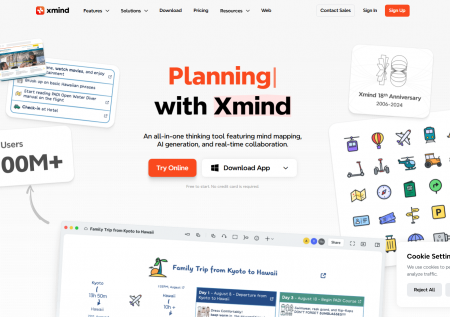
Xmind AI: Popular Mind Mapping Software. AI for Idea Generation
T&Cs Apply

• Pricing model: Free basic version; paid subscriptions (Pro, Ultimate)
• Developer: XMind Ltd.

n8n

n8n: Open-Source AI-powered workflow automation platform
T&Cs Apply
Pricing model: Freemium (free self-contained core + paid cloud subscriptions). Developer: n8n Technologies GmbH (founder Jan Oberhauser).

OpenAI's Big Language Model That Can Conversation and More

T&Cs Apply
Pricing model: Freemium (free access to GPT-3.5, paid subscription ChatGPT Plus for $20/month for GPT-4). Developer company: OpenAI (founders: Sam Altman, Ilya Sutskever).

AI productivity tools represent a broad collection of software designed to improve time management, speed up information processing, and automate administrative workflows. This category focuses on reducing friction in the professional environment—minimizing the time spent on repetitive tasks so that users can focus on high-value cognitive work. By using large language models and intelligent automation, these tools act as digital assistants capable of summarizing, organizing, and executing tasks with minimal human intervention.

The fundamental goal of this category is to increase the output-to-input ratio. Whether it is transforming a chaotic meeting into a structured action plan or automating data entry across different platforms, AI productivity software provides a systematic approach to professional efficiency.

Core Functions of AI Productivity Tools

These tools function by integrating directly into daily work habits, often operating in the background to simplify complex operations. Their primary functions can be grouped into three main areas:

Information Synthesis and Retrieval

In an era of information overload, AI tools help users extract value from large volumes of data quickly. Systems like Perplexity serve as advanced search engines that provide direct answers and citations, bypassing the need to browse through multiple websites. Similarly, tools like Notion AI allow for organizing personal or company notes so they can be searched and summarized using natural language.

Workflow Orchestration and Automation

Productivity is often hindered by the time spent switching between different apps. AI platforms connect separate software systems. They allow users to create automated pipelines where an event in one app (like receiving an email) triggers a series of actions in others (like updating a database and sending a summary to Slack). More advanced agents can now make independent decisions within these workflows.

Task and Meeting Management

Managing time and communication is a central challenge in any professional role. AI meeting assistants record and transcribe discussions, automatically generating summaries and to-do lists. On the scheduling side, tools like Reclaim use algorithms to arrange calendars automatically, protecting time for deep work and ensuring deadlines are met without manual rescheduling.

Target Audience and Use Cases

The tools in this category provide specific solutions for various professional sectors:

  • Project Managers: They use AI to track progress across platforms like Asana or ClickUp. AI can predict project delays, summarize status reports, and suggest resource allocations based on past data.
  • Knowledge Workers and Researchers: These professionals use tools like ChatGPT or Claude to draft reports, explain complex concepts, and synthesize research papers. This reduces the time spent on the initial drafting phase of a project.
  • Developers: Rapid prototyping tools like Bolt allow developers to build and deploy applications quickly by describing requirements in plain English, significantly shortening the development cycle.
  • Students and Educators: AI tutors and learning platforms provide personalized feedback and help organize study materials, making the learning process more efficient.

Classifications of AI Productivity Software

To find the right tool for a specific workflow, it is useful to understand their technical groupings:

  • General Purpose Chatbots: These are versatile assistants like ChatGPT or Gemini. They are flexible and can handle writing, coding, and brainstorming, though they work best with clear instructions.
  • Specialized Vertical Tools: These tools are built for one specific purpose, such as specialized writing checkers for quality, or voice generation tools. They usually offer better results in their specific niche than a general chatbot.
  • Integrated AI Layers: These are existing productivity apps that have added AI features. For example, Notion AI or Google Workspace tools allow users to use AI directly within the documents they are already working on.
  • Autonomous Agents: This is an emerging class of tools that do not just assist but actually perform tasks. Certain agents can be programmed to handle customer support or data management with minimal oversight.

Key Features and Selection Criteria

When selecting a tool from the catalog, consider these technical and operational factors:

  1. Ecosystem Compatibility: A productivity tool must work with your existing setup. If you use a specific office suite, an integrated assistant might be more efficient than an isolated tool.
  2. Latency and Speed: For tools used in real-time, such as search engines or coding assistants, the speed of the response is critical. Some platforms prioritize low-latency answers for a smoother experience.
  3. Data Security and Privacy: Productivity tools often handle sensitive company data. Check if a tool offers enterprise-grade security to ensure that your data is not used to train public AI models.
  4. Pricing Model: Most productivity tools follow a freemium or subscription model. Look for tools that offer a team tier if you need collaborative features, as basic versions are often restricted to individual use.

The Future of Work with AI

The integration of AI into productivity marks a shift from tools that only follow instructions to tools that understand what is needed for a project. By automating the administrative and mechanical parts of work—summarizing, scheduling, and moving data—AI allows professionals to reclaim time for strategic thinking and creative problem-solving.

Whether you need to automate a complex business process or simply want to clean up your writing, the tools in this category provide the technical infrastructure for a more efficient workday. The key is to start with the most time-consuming manual task in your current routine and find the specific AI tool designed to handle it.