
Spikes Studio: AI Clip Generator for Social Media
On this page
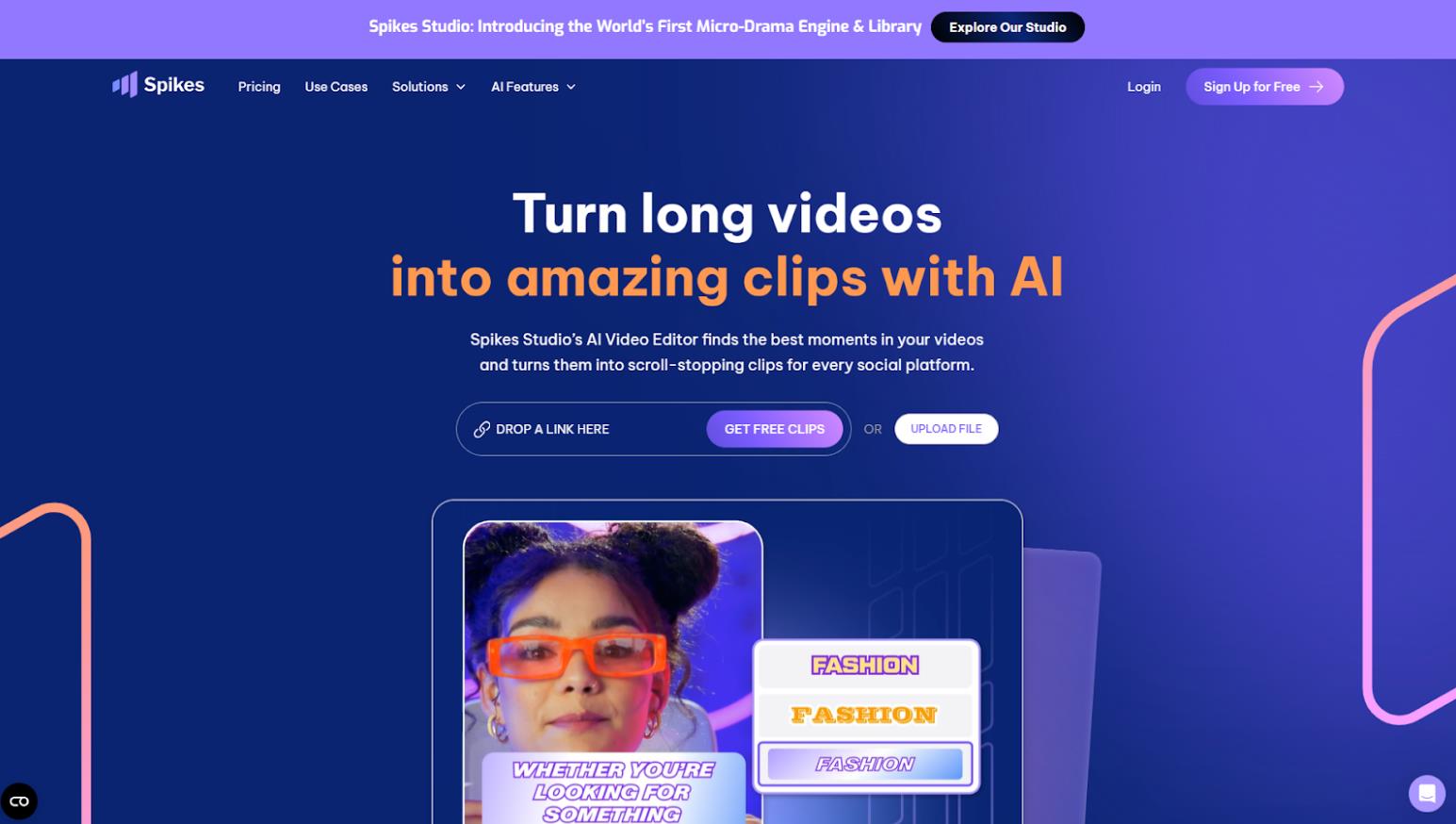
If you create long-form content—streaming on Twitch, recording podcasts, or running a YouTube channel—you already know how time-consuming it is to cut that content into short vertical videos for TikTok, Reels, and Shorts. Manual editing takes hours and requires a specific skill set. Spikes Studio positions itself as the solution that takes over that work. It is an AI platform that turns hours of VODs, streams, and interviews into ready-to-publish viral clips in just a few clicks.
The service calls itself the “World’s First Micro-Drama Engine & Library,” emphasizing that its AI is trained not just to detect pauses or laughter, but to identify emotionally engaging moments that hold a viewer’s attention.
Where it’s available
Spikes Studio is available exclusively as a web application. This means you can work with it on any device through your browser—whether a computer or a tablet.
There is currently no full-featured mobile app, which is worth keeping in mind if you are accustomed to editing on your phone.
What it is and how it works
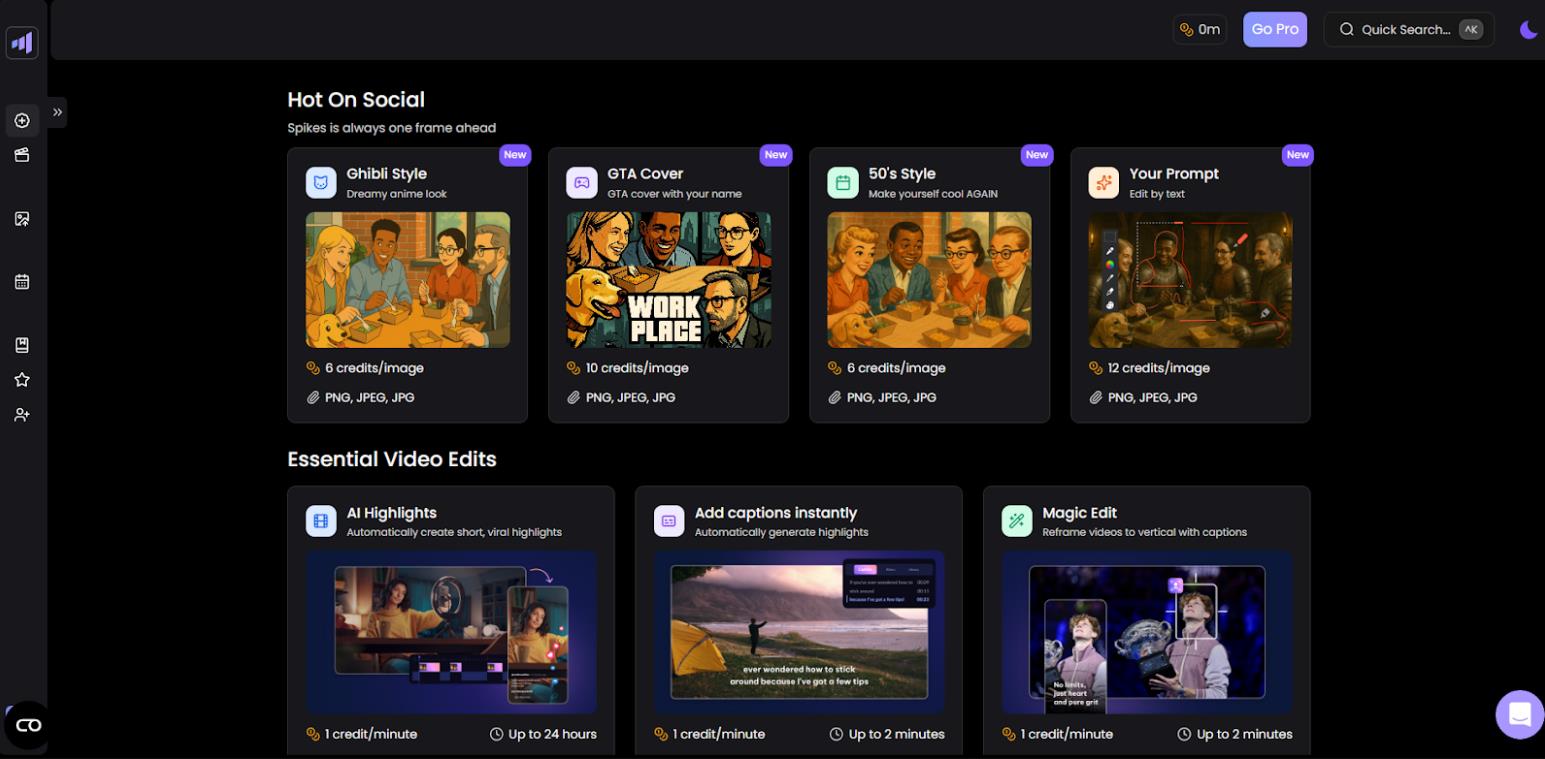
The core philosophy behind the service is “Create once, publish everywhere,” and it aims to automate the entire content creator workflow.
The process works like this:
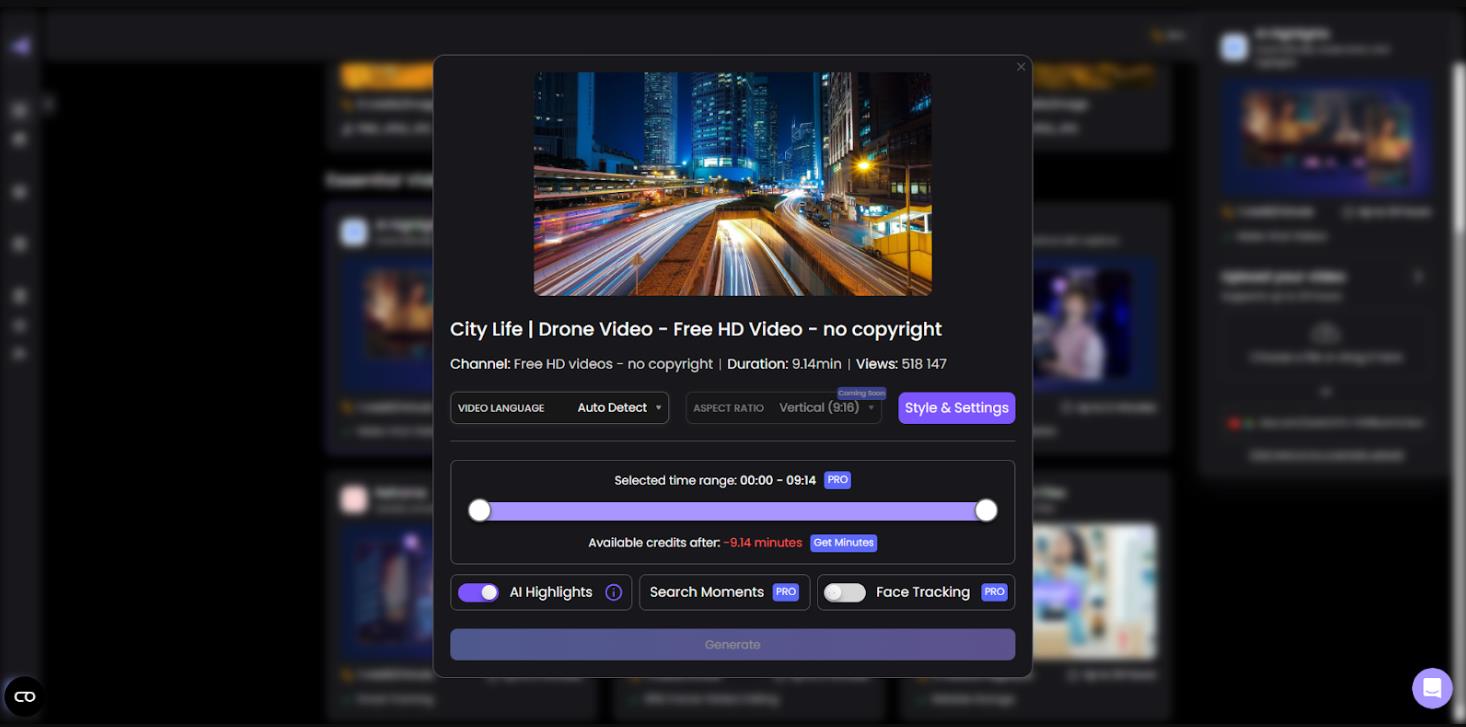
- Upload. You upload a long video—a stream, a podcast recording, a lecture—or use a demo clip.
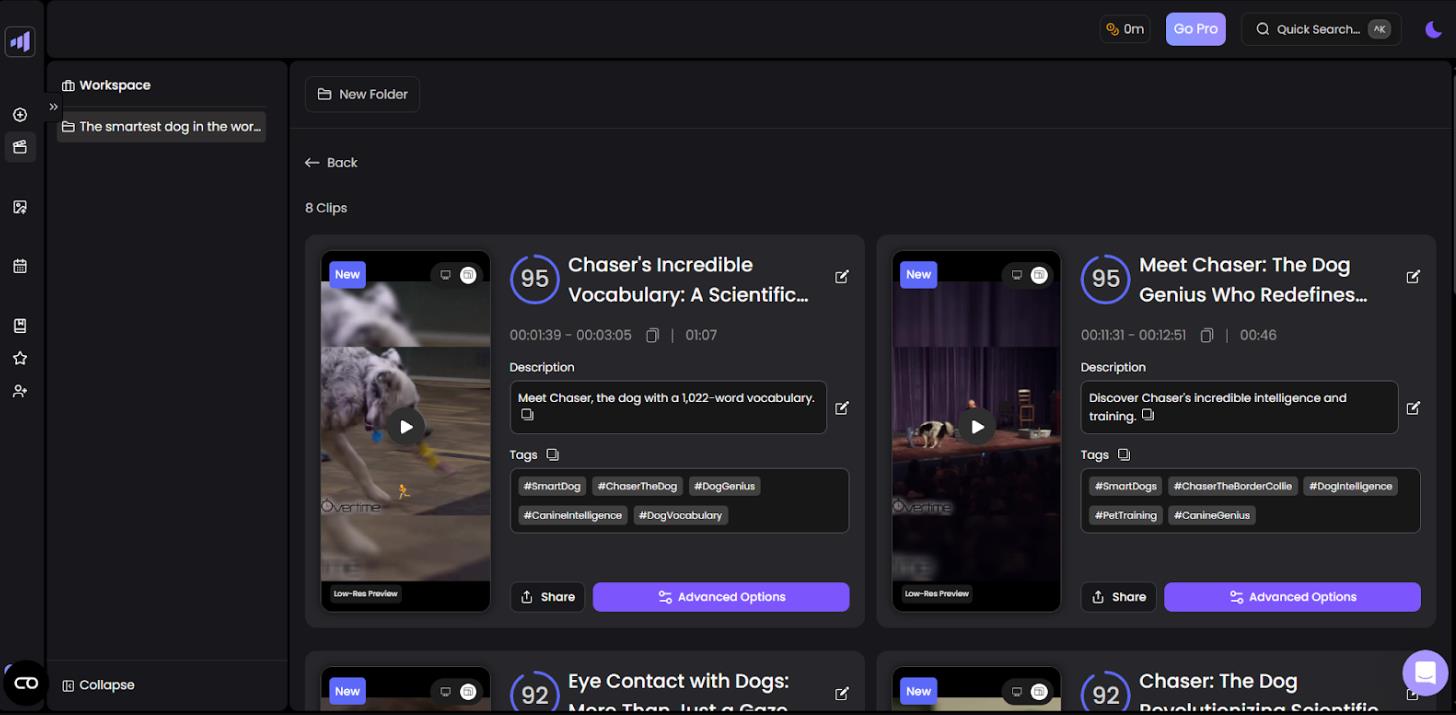
- AI analysis. The AI scans the material and highlights the most engaging moments based on speech dynamics, emotions, and spikes in activity.
- Automated editing. The system automatically adds smooth transitions, dynamic zoom, reframes the video to vertical format (9:16), and layers on animated captions.
- Optimization. For each clip, AI generates titles, hashtags, and emojis tailored to the target audience. You can also apply custom brand templates.
- Export and publishing. You receive finished files optimized for each platform (YouTube Shorts, TikTok, Instagram Reels, LinkedIn, Facebook). One-click publishing is available directly from the dashboard.
- Analytics. A built-in dashboard lets you track views, engagement, and receive recommendations for improving your content through the “Clip Better” feature.
The service supports transcription in over 99 languages, making it practical for international projects. If the AI doesn’t hit the mark perfectly, a built-in web editor allows for manual adjustments on clips up to five minutes long.
What it’s used for and who it’s for
The main purpose of Spikes Studio is repurposing long-form content into short formats without spending hours on editing. According to the developers, time savings can reach up to 90 percent.
This tool is useful for:
- Content creators and influencers. To grow an audience quickly by tapping into short-form video trends.
- Streamers (Twitch, YouTube). To automatically generate highlights from past streams.
- Small businesses and marketers. To generate leads through video without hiring a dedicated editor.
- Agencies. Through team collaboration features, branded templates, and a unified content calendar.
- Beginners. Those with no video editing experience who still want to maintain an active social media presence.
The service is especially valuable for anyone producing a large volume of long content—podcasters, lecturers, interviewers, and gamers.
Use cases: personal and business
This is a practical option for active creators, streamers, and marketers who value their time and are willing to pay for efficiency.
Personal use and blogging
Imagine you are a streamer who just finished a four-hour broadcast. Instead of manually scrubbing through the recording to find highlights, you upload the VOD to Spikes Studio. Within 15 to 20 minutes, you have five to ten finished vertical clips with the best moments, captions, and titles already included. All that’s left is to hit “publish” on TikTok and YouTube Shorts, giving you content for the entire week.
Business and marketing
A company records a 40-minute interview with an expert. Previously, that video would go up on YouTube in full and struggle to gain views. With Spikes Studio, a marketer turns it into five or six short clips, each answering a specific question—for example, “How to choose a CRM system?” These clips go out on LinkedIn, Instagram Reels, and YouTube Shorts. A single piece of content becomes a full-fledged marketing funnel and increases reach across social platforms.
Pricing
As of March 2026, the service offers one free and three main plans with the option of annual billing at a discount of up to 57%.
Free |
Basic |
PRO+ |
Enterprise |
|
Price* |
$0 / month |
$12.99 / month |
$14.09 / month |
$56.34 / month |
Processing speed |
Regular speed |
Faster than Free |
Faster than Basic |
Faster than PRO+ |
Clip resolution |
720p |
1080p |
1080p |
1080p |
Yes |
No |
No |
No |
|
Animated captions |
— |
✓ |
✓ |
✓ |
B-roll |
Limited |
Full / expanded |
✓ (incl. AI-generated) |
✓ |
Audio & SFX insertion |
— |
✓ |
✓ |
✓ |
Custom clip length |
— |
✓ |
✓ |
✓ |
AI-generated b-roll |
— |
Limited / basic |
✓ |
✓ |
Project storage |
7 days |
90 days |
Unlimited |
Unlimited |
*Price shown is with annual billing. Monthly subscriptions are higher.
You can try the functionality for free using demo videos. There is also a referral program that allows you to earn additional minutes for generating clips.
Competitors
The AI clip generation market is quite crowded. Understanding the alternatives will help you make a more informed decision.
Direct competitors
Opus Clip, Vizard.ai, and Klap are the closest alternatives, operating on a similar model: upload a long video, run AI analysis, and receive automated shorts with captions.
Opus Clip is the most recognized name in this space. Klap focuses on speed, while Vizard.ai emphasizes a user-friendly web editor.
Specialized tools
Eklipse is the main competitor for gamers and streamers, built specifically for Twitch and Kick with voice command recognition.
Podsqueeze and Peech AI are geared toward podcasters, focusing on audio processing and transcription.
General-purpose editors with AI
CapCut is a powerful free editor with built-in AI features. SendShort and Submagic prioritize stylish, attention-grabbing captions.
How Spikes Studio stands out
The service offers a complete workflow—from AI analysis and editing to a publishing scheduler and built-in analytics. Users often note that Spikes Studio is more accurate at detecting emotionally engaging moments compared to Opus Clip or Klap.
That said, Spikes Studio lags behind Eklipse in the gaming segment. And for those who don’t need advanced analytics, Klap or SendShort may be more attractive in terms of price or speed.
User reviews and ratings
The service has strong ratings on authoritative platforms. On Product Hunt, Spikes Studio earned a 4.9/5 rating and was named “Product of the Week.” In streaming communities like Reddit, users note that the AI genuinely improves over time and delivers solid highlight reels.
Most criticism revolves around the restrictions of the free plan. On review aggregators such as Trustpilot and SaaSworthy, average scores dip lower, largely due to user frustration with the limitations of the free tier. On the free plan, videos export with a watermark, resolution is capped at 720p, and project storage is limited to seven days.
The general consensus across independent reviews is that the tool is powerful but best suited for active content creators who are prepared to invest in a subscription.
- High accuracy in highlight detection.
- Intuitive interface that requires no editing experience.
- Quality captions that need minimal manual correction.
- Complete production cycle within a single platform.
- Deep customization options for captions and brand templates.
- Strict limitations on the free plan.
- Occasional need for manual adjustments when the AI misses a moment or cuts imperfectly.
- No mobile app.
Conclusion
Spikes Studio is a practical “pocket video studio” for social media, powered by AI. It solves the main challenge content creators face: repurposing long-form material into short-form videos. The tool provides a complete cycle—from analyzing emotional moments to publishing finished clips with performance analytics.
For casual or hobbyist use, the service may not be the best fit unless you are willing to accept watermarks and lower resolution on the free plan. However, if your goal is to scale your presence across TikTok, Instagram Reels, and YouTube Shorts, Spikes Studio is likely to justify the subscription investment.
❓ Frequently Asked Questions
Answers to relevant questions about this AI tool
Sources
-
Spikes Studio — spikes.studio
-
Pricing - Spikes Studio — spikes.studio
-
Spikes Studio Reviews (2026) - Product Hunt — producthunt.com
-
Spikes Studio - Instantly turn any long video into viral shorts! — producthunt.com