Topaz Photo AI cleans up noise, sharpens soft shots, and upscales low-resolution images in one AI pipeline, and photographers rate its output the best available. We cover what it does, the big 2026 pricing change to subscription-only, and whether it is still worth it.
Topaz Photo AI: Enhance Your Photos With AI
On this page
Every photographer has the shot that is almost great: sharp composition ruined by high-ISO noise, a focus miss, or a resolution too low to print. Topaz Photo AI rescues those images, bundling a full pipeline of AI tools, noise reduction, sharpening, upscaling, and face recovery, into one desktop app reviewers rank as the category’s quality leader.
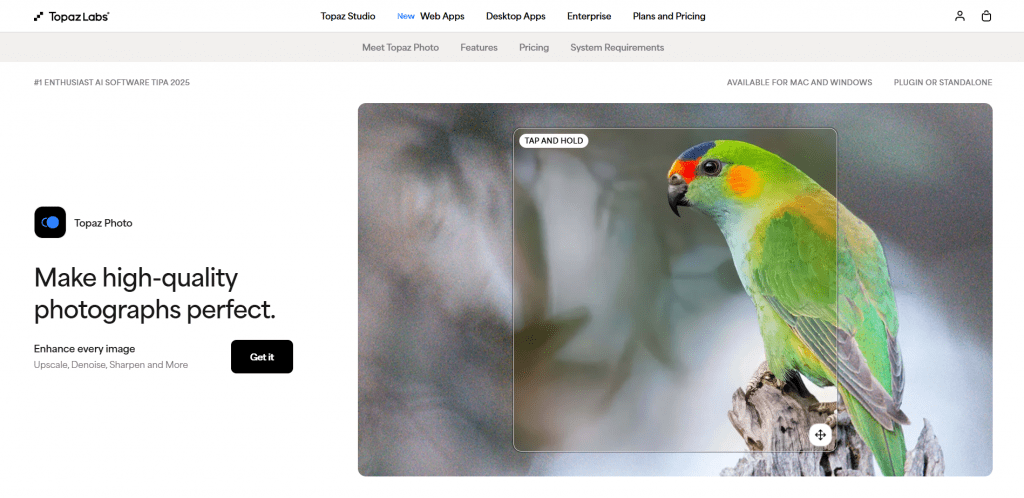
Built by Topaz Labs in Dallas and trained on millions of images, Photo AI runs on Mac and Windows. This review covers what it does, how well it works, the major 2026 pricing change every buyer needs to know, and where it fits.
What Topaz Photo AI Does
Photo AI packs roughly a dozen AI tools into one pipeline, plus an Autopilot mode that detects what each image needs and applies settings before you fine-tune:
-
Denoise. Removes high-ISO grain and color noise while preserving detail, its most praised tool.
-
Sharpen. Fixes soft focus, motion blur, and camera shake.
-
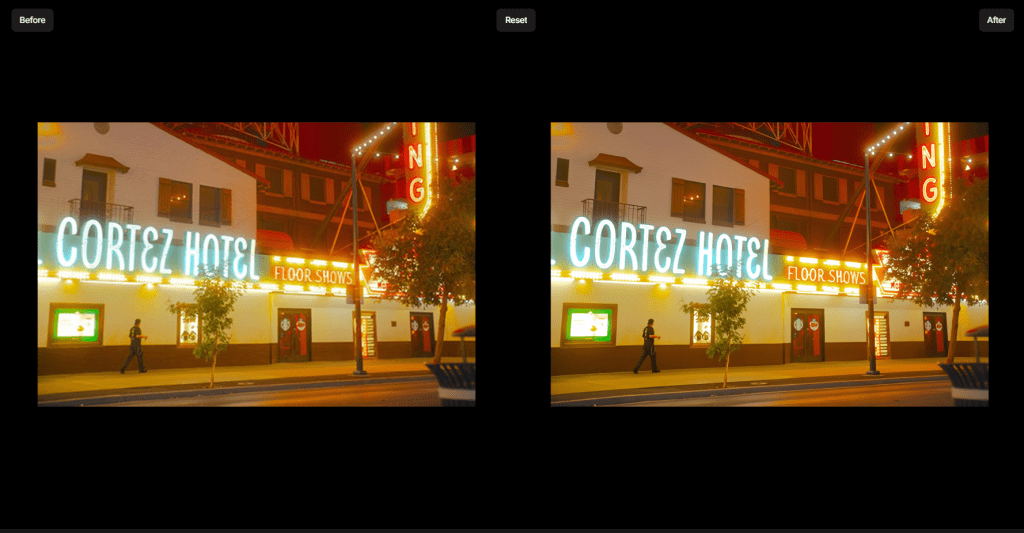
Upscale. Enlarges low-resolution images up to 6x, adding plausible detail rather than blurring, for printing or cropping.
-
Recover Faces. Reconstructs facial detail in distant or low-quality shots.
-
Extras. Adjust Lighting, Balance Color, Remove, Preserve Text, Super Focus, and a Healing Brush round out the kit.
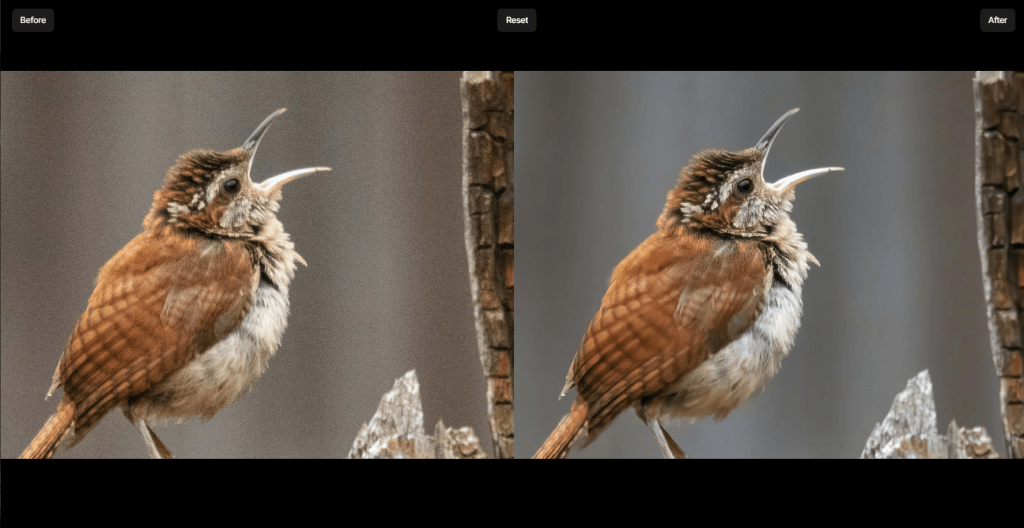
The goal is to take the guesswork out of cleanup while still letting power users override every slider.
How It Works
The workflow is built for speed, then control:
-
Import your image. Open a RAW file, JPEG, or TIFF on the desktop app.
-
Let Autopilot analyze. Photo AI detects noise, blur, and resolution issues and proposes a fix automatically.
-
Fine-tune. Adjust each tool’s sliders, or switch models, to taste.
-
Export. Save the enhanced image, or run it as a plugin inside Lightroom or Photoshop.
Because processing happens locally, quality is high but speed depends on your hardware, and the app is GPU-hungry on large batches.
Who It’s For
-
Serious photographers shooting weddings, events, or low light, where rescuing high-ISO frames matters most.
-
Retouchers and studios needing consistent cleanup at scale.
-
Anyone printing or cropping, where upscaling detail makes a real difference.
-
Lightroom and Photoshop users who want best-in-class denoise as a plugin.
Who should think twice: casual users who only occasionally fix a photo. Since pricing moved to subscription, the value math is far less friendly for light use, and a cheaper or one-time-purchase alternative may fit better.
Topaz Photo AI Pricing
Here is the change that dominates any 2026 review. Topaz Labs ended perpetual licenses in late 2025, so the old “buy once for $199 and own it forever” deal is gone. Photo AI is now subscription-only, with a free trial but no permanent free tier.
|
Plan |
Price |
What you get |
|
Personal |
$0 |
Photo models, unlimited local + cloud rendering, limited commercial use |
|
Pro |
~$199/year |
Adds pro models, seat management, full commercial use |
|
Topaz Studio (bundle) |
~$399/year |
Photo AI and all other Topaz apps + video cloud credits |
The shift is worth understanding: a tool that used to be a one-time $199 purchase is now a $199 annual subscription, and access depends on keeping it active. Existing perpetual-license owners keep their version, though it stays on its last release without new AI models unless they subscribe. For photographers who use it regularly, the annual cost is easily offset by a single rescued shoot; for occasional users, a subscription is simply more to weigh.
Pros & Cons
-
Best-in-class output, especially noise reduction, rated the category leader
-
One pipeline for denoise, sharpen, upscale, and face recovery
-
Autopilot automates cleanup while leaving every slider adjustable
-
Works standalone or as a Lightroom and Photoshop plugin
-
Local processing keeps full-resolution images on your machine
-
Subscription only since late 2025; the one-time purchase is gone
-
No permanent free tier, only a trial, and canceling ends access
-
GPU-hungry, so large batches need capable hardware
-
Occasional artifacting on tricky files and specific camera formats
Languages and Access
Topaz Photo AI is a desktop app for Mac and Windows, run locally rather than in a browser, so it needs a capable computer, especially the GPU, for fast processing. The interface is English-first. Access is by subscription through topazlabs.com, with a free trial before paying. One caution: avoid third-party “lifetime” Topaz licenses, which are typically resold old keys or scams, and buy direct.
Final Thoughts
On quality, Topaz Photo AI remains the tool to beat. Its denoising and detail recovery are the best many reviewers have tested, and the one-pipeline design with Autopilot makes pro results accessible without deep expertise. The reservation is no longer the software but the price model: moving to subscription turned a beloved one-time purchase into a recurring $199-a-year commitment, which changes the calculation for anyone who is not a frequent, demanding shooter. There is a bigger shift ahead too, since Adobe agreed to acquire Topaz Labs in 2026, so the tech may eventually land inside Creative Cloud, though standalone products remain for now. For serious photographers, Topaz Photo AI is still worth it; for everyone else, the subscription is the thing to weigh, not the quality.
Sources
-
Topaz Photo - Sharpen, Denoise, Unblur & Enhance Images & Photos — topazlabs.com
-
Product Pricing - Topaz Labs — topazlabs.com
-
Overview — docs.topazlabs.com
-
Privacy Policy - Topaz Labs — topazlabs.com
-
Topaz Photo AI Review — pcmag.com
❓ Frequently Asked Questions
Answers to relevant questions about this AI tool
Sources
-
Topaz Photo - Sharpen, Denoise, Unblur & Enhance Images & Photos — topazlabs.com
-
Product Pricing - Topaz Labs — topazlabs.com
-
Overview — docs.topazlabs.com
-
Privacy Policy - Topaz Labs — topazlabs.com
-
Topaz Photo AI Review — pcmag.com